Converting KML data to CSV offers a straightforward approach to analyze, share, and integrate geographical information across various platforms. Whether you’re new to the process or experienced, this guide will walk you through the steps seamlessly.
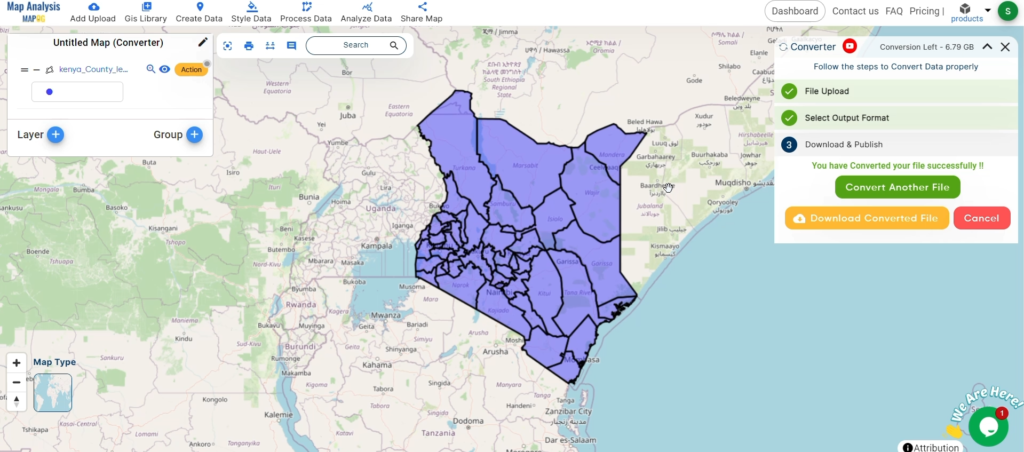
Converting KML to CSV with MAPOG
Key Concept of File Conversion MAPOG’s Converter Tool facilitates effortless transformation between different data formats. By inputting data in one format, the tool converts it into the required format for analysis, enhancing flexibility and adaptability across applications.
Steps to Convert KML to CSV with MAPOG
Step 1: Upload the Data
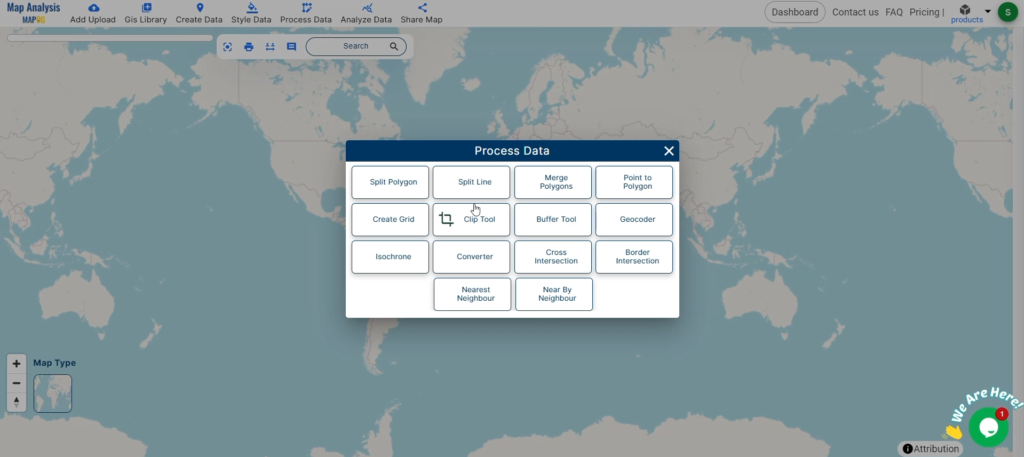
Access the Converter Tool: Navigate to the “Process Data” menu and select “Converter Tool.”
Upload KML File: Begin by uploading the KML file you wish to convert.
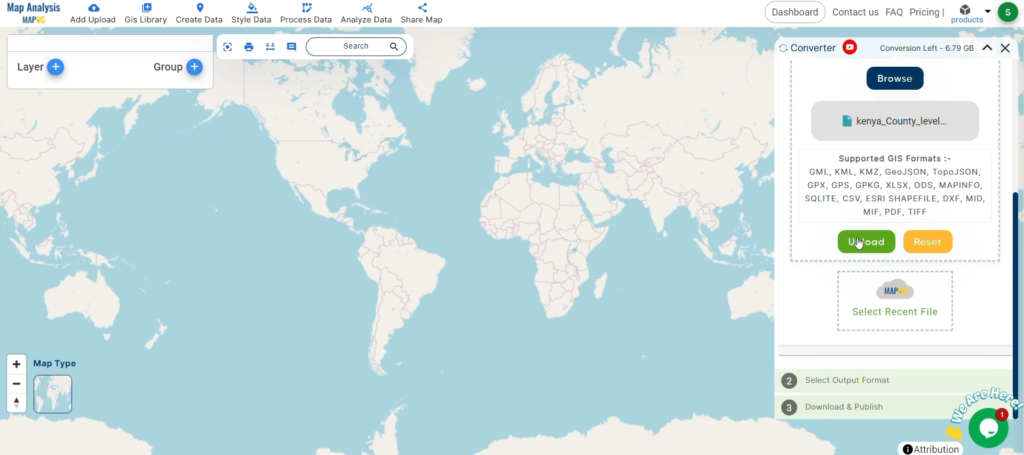
Step 2: Select the Output Format
Choose the Output File Format: Opt for CSV as the output format.
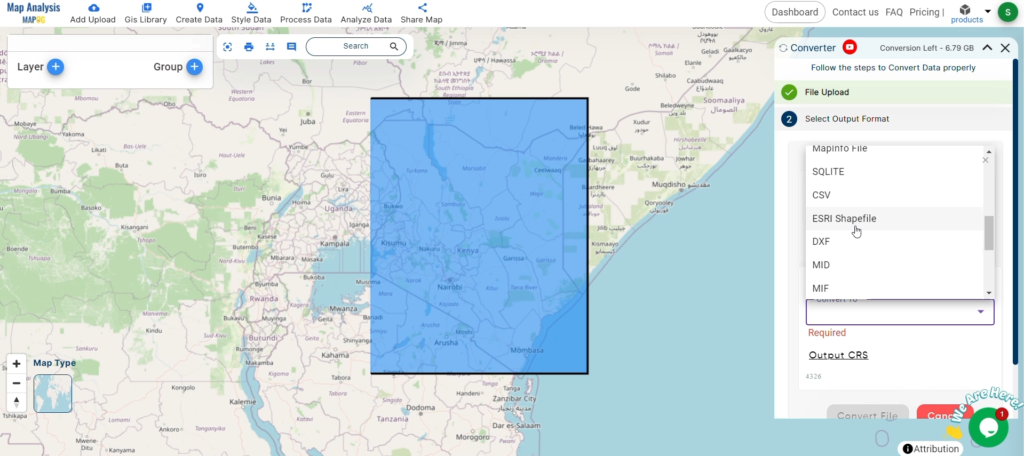
Set the CRS (Coordinate Reference System): Optionally, set the CRS to align data accurately with spatial analysis requirements.
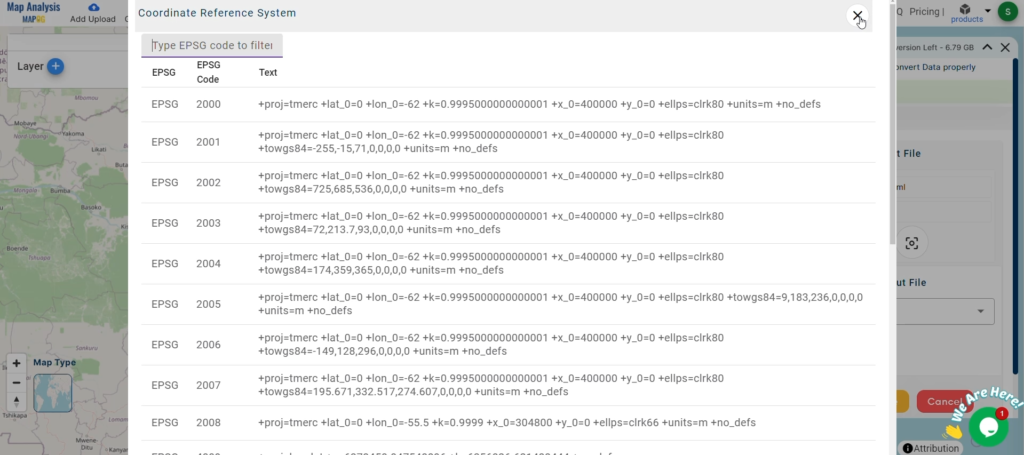
Step 3: Run the Conversion
Initiate the Conversion Process: Click on ‘Convert‘ to start the conversion process.
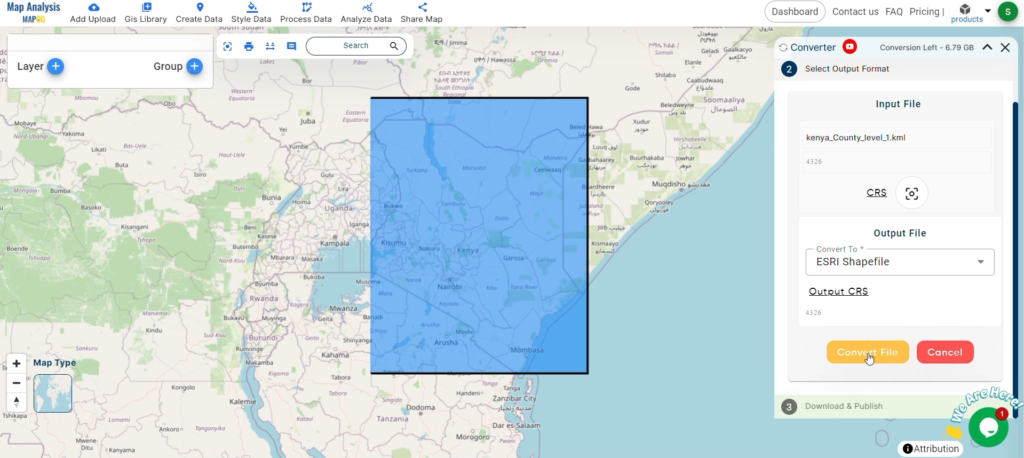
Step 4: Review and Download
Review the Converted Data: Verify the converted CSV data for accuracy.
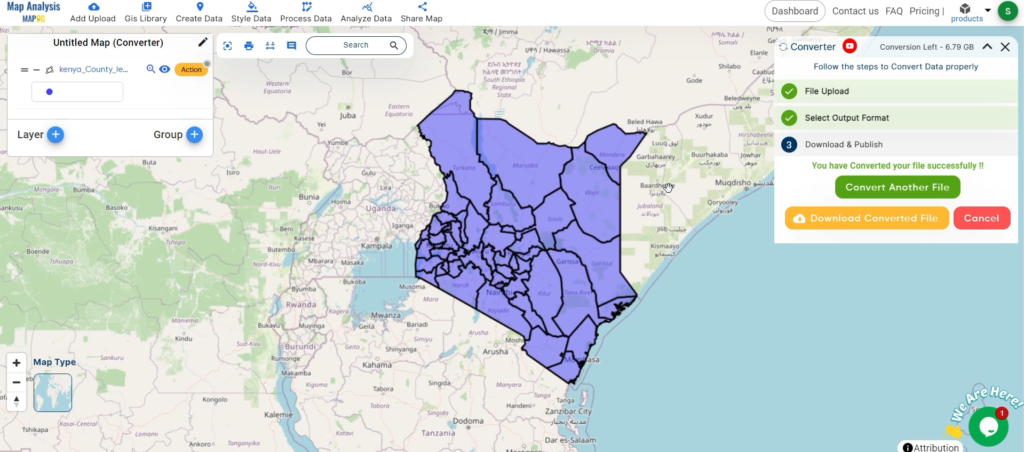
Download the Converted File: Upon satisfaction, download the converted CSV file.
Conclusion
By utilizing MAPOG’s Converter Tool, you’ve efficiently converted your KML files to CSV, streamlining your workflow and enhancing data interoperability. For further assistance, feel free to reach out to us at support@mapog.com.
Leave a Reply