Converting DXF to MIF : A Complete Guide

In this tutorial, we’ll guide you through converting a DXF file into MIF format using the Converter Tool in MAPOG. Whether you’re a beginner or have some familiarity with MAPOG, this straightforward guide will assist you in seamlessly transforming your DXF files into  MIF.

What is DXF Data Format:

DXF is short for Drawing Exchange Format or Drawing Interchange Format and is a type of vector file. Engineers, designers and architects often use the DXF format for 2D and 3D drawings during product design. This data format can be used in case of analyzing the maps. It can be of many types like point, line and polygon or any boundaries.

Online GIS Data Conversion

Converting DXF Data into MIF Format:

MAPOG includes an advanced Converter Tool that enables users to easily switch between various data formats to meet their specific needs. This tool simplifies the process of converting data for multiple GIS applications, offering both flexibility and efficiency in handling different formats. For instance, MAPOG’s Converter Tool can convert DXF data into the MIF format, reducing file size while preserving essential geographic details. This makes the data more suitable for web-based mapping and interactive platforms, ultimately enhancing workflows and significantly improving GIS data usability.

Steps to Convert DXF to MIF:

Step 1: Upload the Data :
  1. Go to “Process Reference Layers”  from the header and choose the “Converter Tool” option.
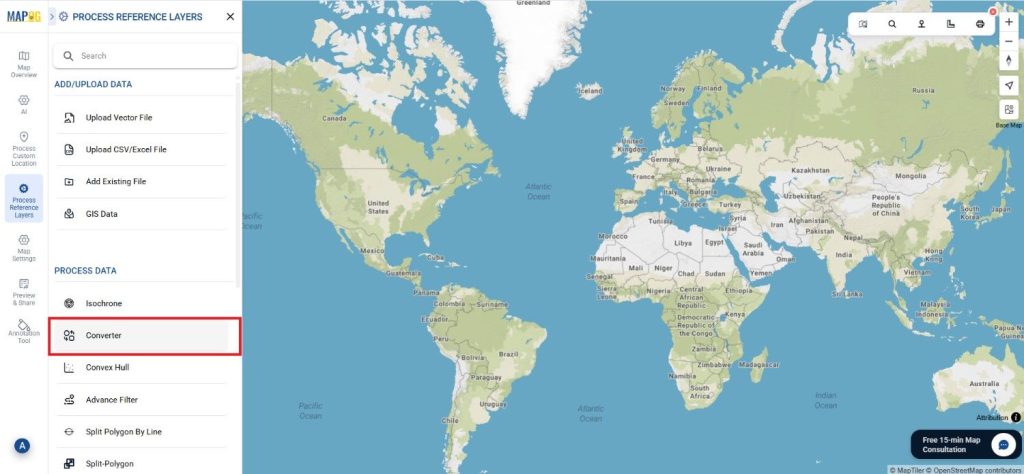
DXF to MIF

2.Upload your DXF file to start the conversion process by providing the data you wish to transform.
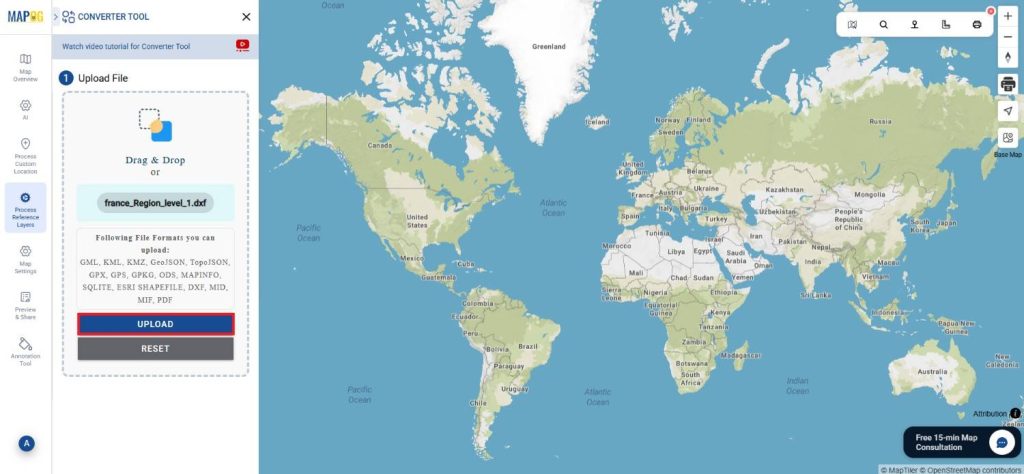
DXF to MIF
Step 2: Select the Output Format:

1.Choose MIF as your desired output format for exporting the data. While the tool provides multiple format options, this tutorial is specifically centered on converting your file into the MIF format.
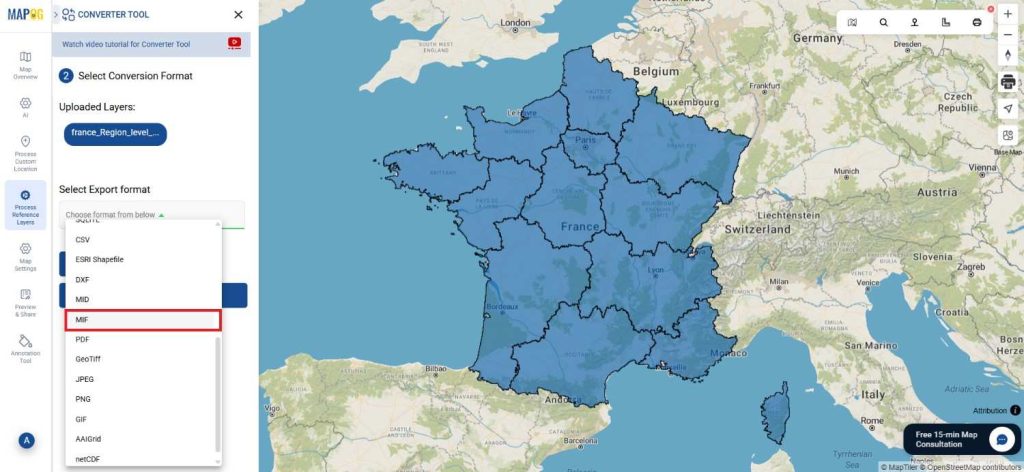
DXF to MIF

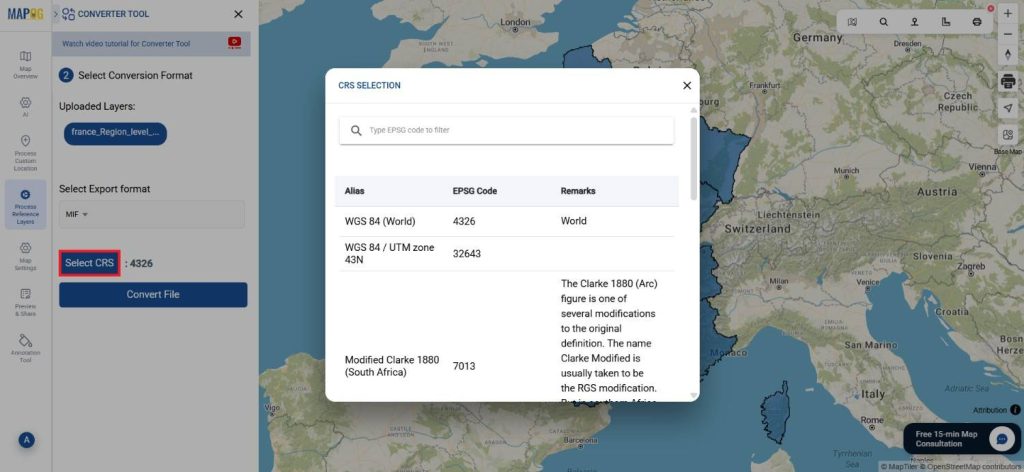
2. You can also set the Output Coordinate Reference System (CRS) according to your spatial analysis requirements.
DXF to MIF
Step 3: Execute the Conversion:

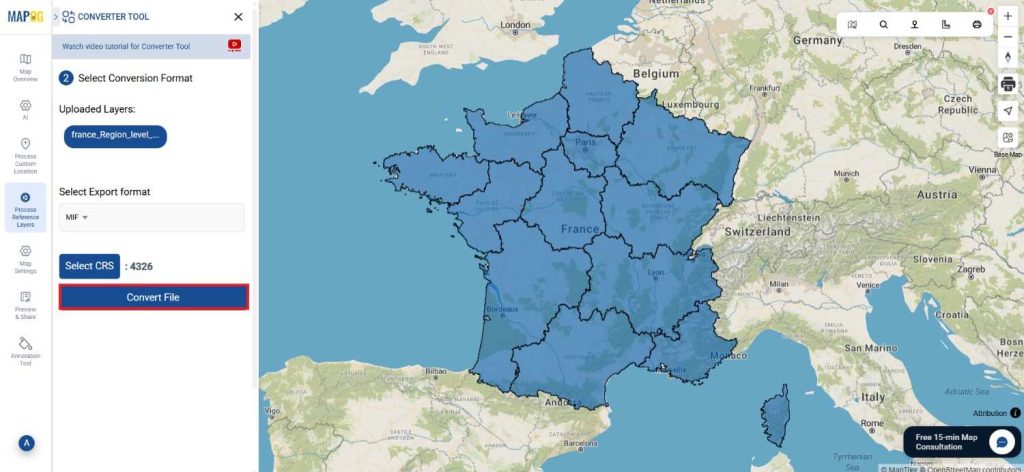
Head over to ‘Convert Files’ and let the tool handle the conversion for you. Just upload your data, and the Converter Tool will automatically take care of converting your DXF file into MIF  format, making the process seamless and efficient.
DXF to MIF
Step 4: Verify and Download:

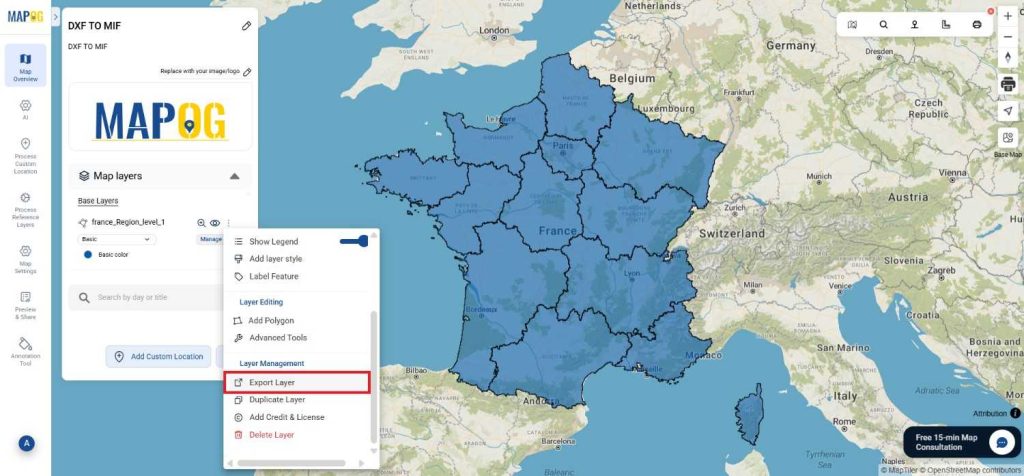
Inspect your converted MIF  data to confirm its correctness. After ensuring the results meet your expectations, proceed to download the file. This step is crucial to validate that the conversion was completed successfully and that your data integrity is maintained.
DXF to MIF

Result:

You’ve successfully converted DXF to MIF using MAPOG’s straightforward tools. This process not only simplifies your data management but also enhances the versatility of your data across different GIS platforms. For assistance or inquiries, contact us at support@mapog.com. Happy mapping!

With MAPOG’s versatile toolkit, you can effortlessly upload vectors and upload Excel or CSV data, incorporate existing layers, perform polygon splitting, use the converter for various formats, calculate isochrones, and utilize the Export Tool.

Use MAPOG for mapping and visualizing data across all domains. Its tools make analysis easy and accurate. Convert files to get data in the format you need.

Here are some other blogs you might be interested in:

Download Norway Administrative Boundary Shapefiles – Regional State Administrative Agencies, Municipalities

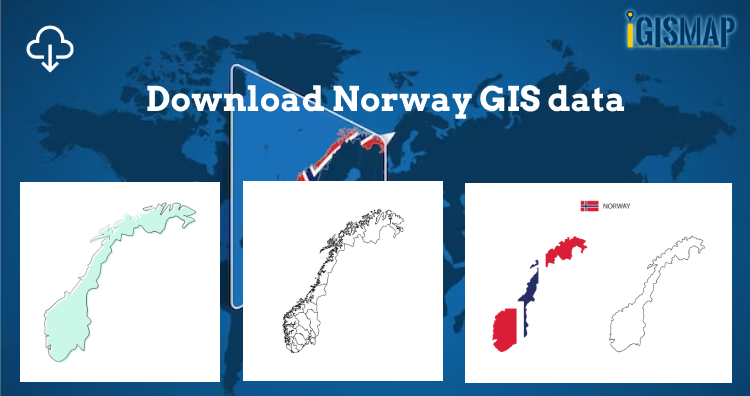
Hey! GIS user here in this blog you can download Norway shapefile GIS data. IGISMAP have collection for more than 100 new countries. Links for downloading the shapefiles of the important administrative divisions of Norway are provided in the following. You can also download these data in any format like KML, GeoJSON, or CSV etc.

Note:

  • All data available are in GCS datum EPSG:4326 WGS84 CRS (Coordinate Reference System).
  • You need to login for downloading the shapefile.

Here is the video tutorial to download data:

Download Free Shapefile Data of Norway

Norway is a country located in Northern Europe in the northern and western parts of the Scandinavian Peninsula. It has a land border with Sweden to the east and a shorter border with Finland and an even shorter border with Russia to the northeast. The country’s average elevation is 460 meter’s (1,510 ft), and 32 percent of the mainland is located above the tree line. The regional climate was up to 1–3 °C (1.8–5.4 °F) warmer in 7000 BC to 3000 BC in the Holocene Climatic Optimum, (relative to the 1961-90 period), melting the remaining glaciers in the mountains almost completely during that period.

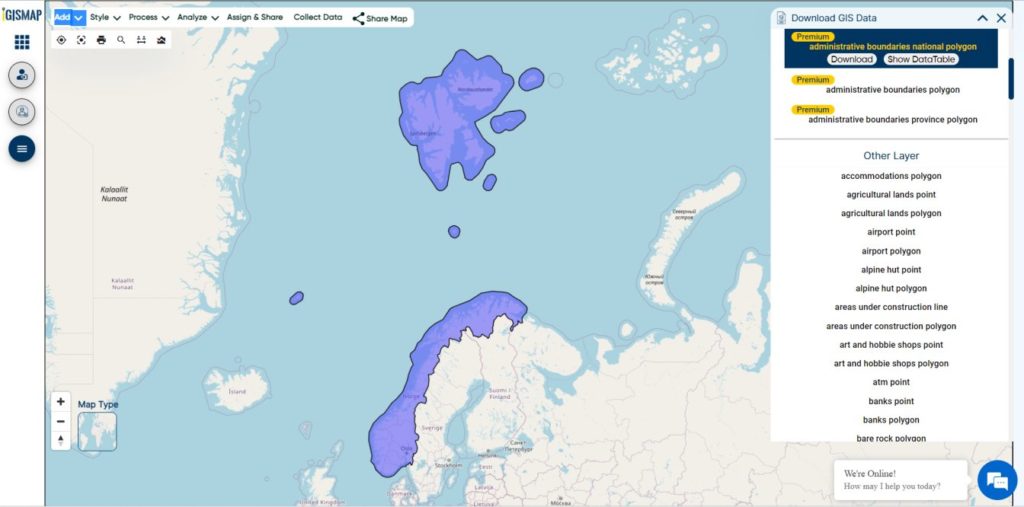
Norway National Boundary

Download Norway National Boundary Shapefile

Download Norway Counties Shapefile Data

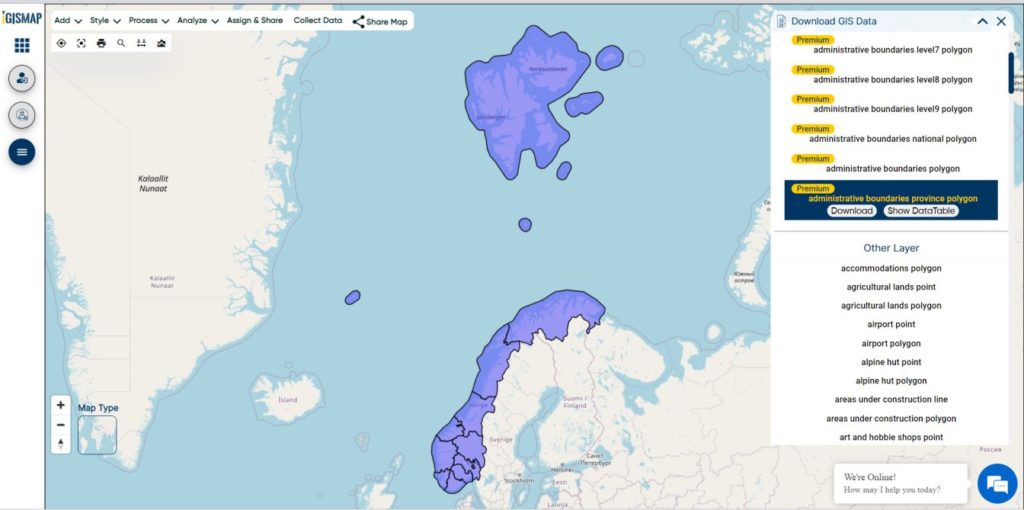
Norway is divided into 11 administrative regions, called counties . The island territories of Svalbard and Jan Mayen are outside the county division and ruled directly at the national level. The capital Oslo is both a county and a municipality.

Norway Counties Boundary

Download Norway Counties Boundaries Shapefile

This shapefile covers following Counties of Norway listed below:

  • Agder
  • Innlandet
  • More og Romsdal
  • Nordland
  • Oslo
  • Rogaland
  • Vestfold og Telemark
  • Troms og Finnmark
  • Trondelag
  • Vestland
  • Viken

Download Norway Municipalities Shapefile Data

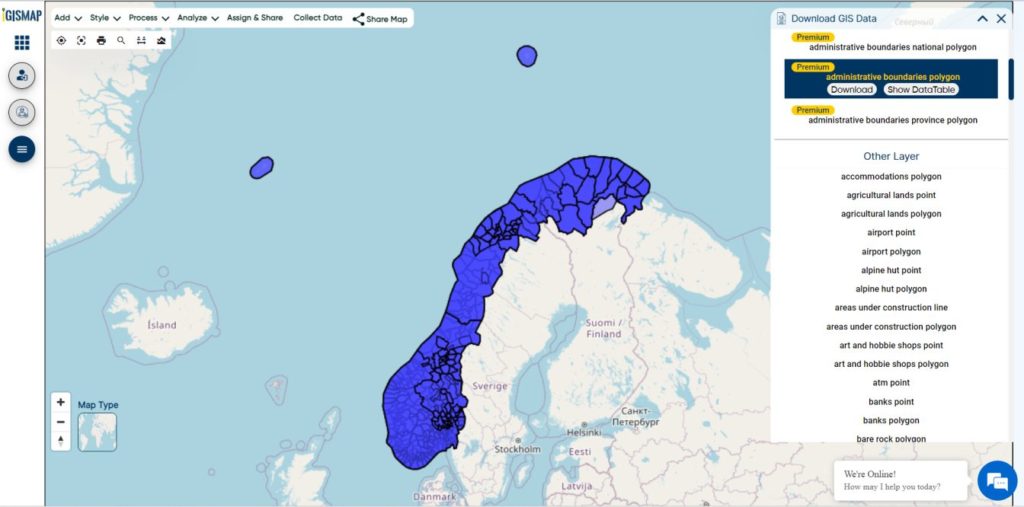
Municipalities are the atomic unit of local government in Norway and are responsible for primary education (until 10th grade), outpatient health services, senior citizen services, unemployment and other social services, zoning, economic development, and municipal roads. Law enforcement and church services are provided at a national level in Norway.

Norway Municipality Boundaries Shapefiles
Norway Municipalities Boundary

Download Norway Municipality Boundaries Shapefiles

Other Administrative Boundary Data:

Download Free Shapefile for the following:

  1. World Countries Shapefile
  2. Australia
  3. Argentina
  4. Austria
  5. Belgium
  6. Brazil
  7. Canada
  8. Denmark
  9. Fiji
  10. Finland
  11. Germany
  12. Greece
  13. India
  14. Indonesia
  15. Ireland
  16. Italy
  17. Japan
  18. Kenya
  19. Lebanon
  20. Madagascar
  21. Malaysia
  22. Mexico
  23. Mongolia
  24. Netherlands
  25. New Zealand
  26. Nigeria
  27. Papua New Guinea
  28. Philippines
  29. Poland
  30. Russia
  31. Singapore
  32. South Africa
  33. South Korea
  34. Spain
  35. Switzerland
  36. Tunisia
  37. United Kingdom Shapefile
  38. United States of America
  39. Vietnam
  40. Croatia
  41. Chile
  42. Norway
  43. Maldives

Disclaimer : If you find any shapefile data of country provided is incorrect do contact us or comment below, so that we will correct the same in our system as well we will try to correct the same in OpenStreetMap.

GIS Data Conversion

In this post we are going to focus on one of the important topic of GIS world, which is the “DATA CONVERSION”. Data Conversion means converting computer data into another format. With huge amounts of GIS data available for use, it is more cost-efficient and effective to convert the GIS data from one format to another than recreating all of it.

We have an Online GIS Data Convert Tool Platform

GIS Data Conversion

There are many ways to convert GIS data and the conversion may use special conversion programs. Simply, it may involve complex data exporting or importing procedures. As we  know there are many data file formats used in GIS, this time we will be converting them from one format to another.

To get the list of the various data file formats you can visit our previous posts.

Vector data file formats in GIS

To make datasets usable together in GIS, it is necessary to convert the both vector and raster geospatial file from one format to another. And for doing the Conversion we already have posts about the data conversion from GeoJSON to Shapefile and KML to shapefile and many more, but they all have a long way to convert the GIS data. The Alternative to that is some free and commercial converter  software or tools available on the web. There are a Lots’s of tools available on the web, but I recommend you to use  IGisMap converterMAPOG Converter is an online tool to convert GIS data from one format to another format.

MAPOG converter provides On-line conversion and transformation of both vector and raster geospatial data.  In this on-line converter tool the uploaded data file is allowed to convert into various GIS data format.

MAPOG converter can convert bulk amount of data into another format using any coordinates reference systems. And then you can download the converted data or store it into MyMapData.

This all about MAPOG Converter tool hope it will make your spatial study easy. If you face any problem in data conversion then please comment or chat with us.

Futhermore, You can also check :

💬 Book a Meeting