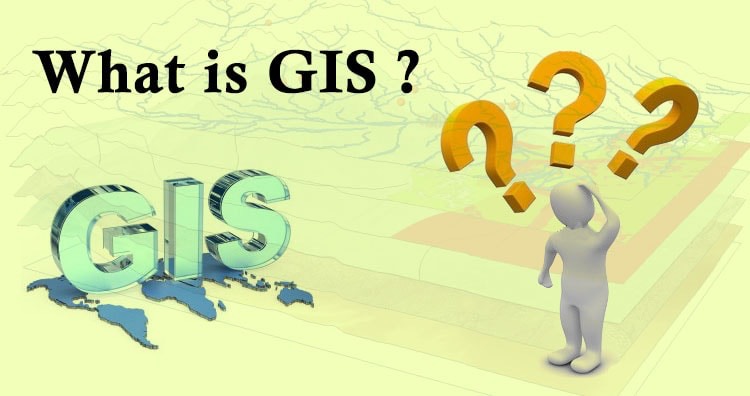
Geographic Information System is a system intends to capture, Store, manage, manipulate, analyze the data. GIS system integrate data and convert it into maps. And as we know visuals are more powerful than words so it makes our understanding of data fast.
What is GIS ?
GIS is a tool to acquire geographic data and produce Geographic information. And generally those information are stored in tabular form. GIS can be defined as a “computer information system that can input, store, manipulate, analyze, and display geographically referenced (spatial) data to support decision making processes”.
Simply GIS visualize your data as a map. And these visualization makes the study interesting with interactive maps. It saves the time and make the system decisiveness that is main requirement.
In this guide, we’ll walk you through how to efficiently convert your KMZ files to MIF using the powerful Converter Tool in MAPOG. Whether you’re a beginner or an experienced user, Converting KMZ to MIF with MAPOG, this tutorial will help you understand the process in easy steps.
Key Concept of Converting files
The Converter Tool is a feature in MAPOG Map Analysis that helps you change your data from one format to another. It’s like magic! You give it your data in one form, and it transforms it into another form that you need for your analysis. Additionally, with GIS Data, you can download data in any format, making it versatile and adaptable for various applications.
Online KMZ to MID GIS Converter
Now, let’s walk through the simple steps of using the Converter Tool to Converting KMZ to MIF with MAPOG.
Step 1: Upload the Data
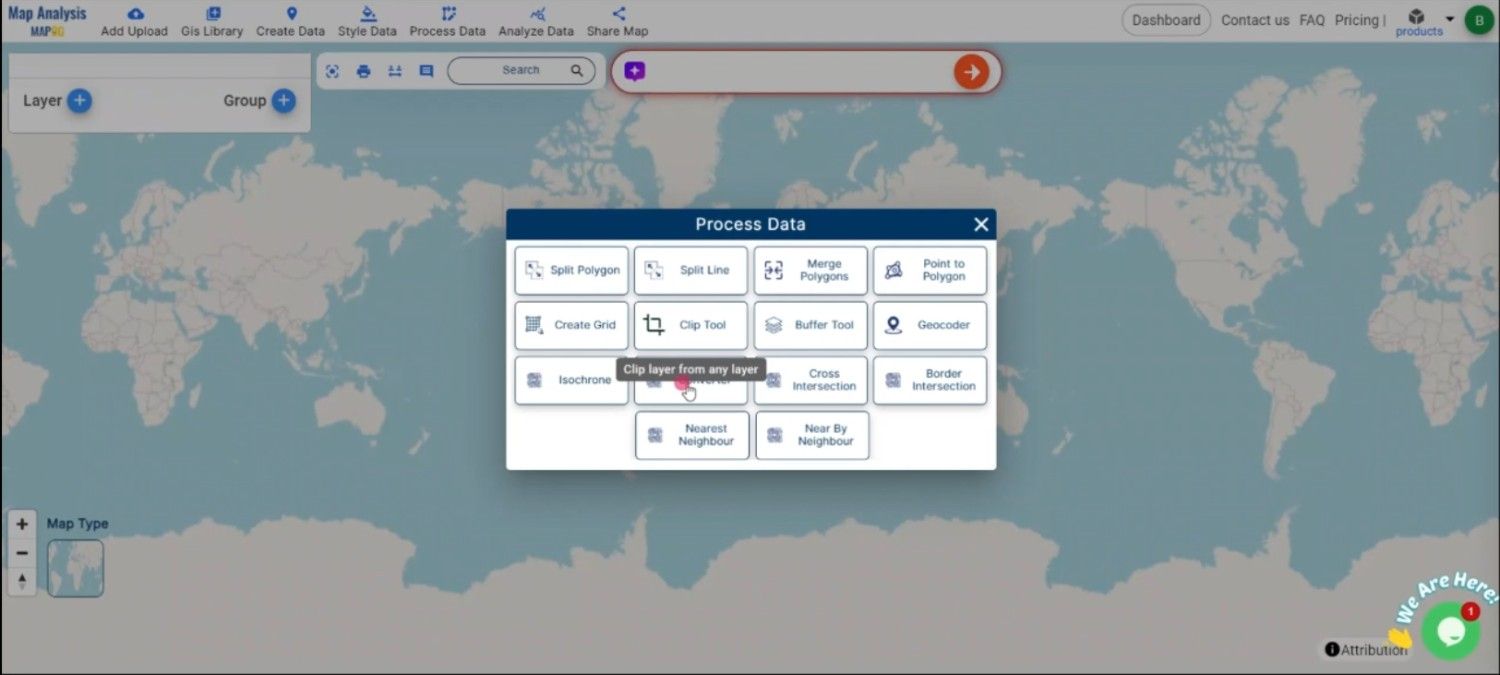
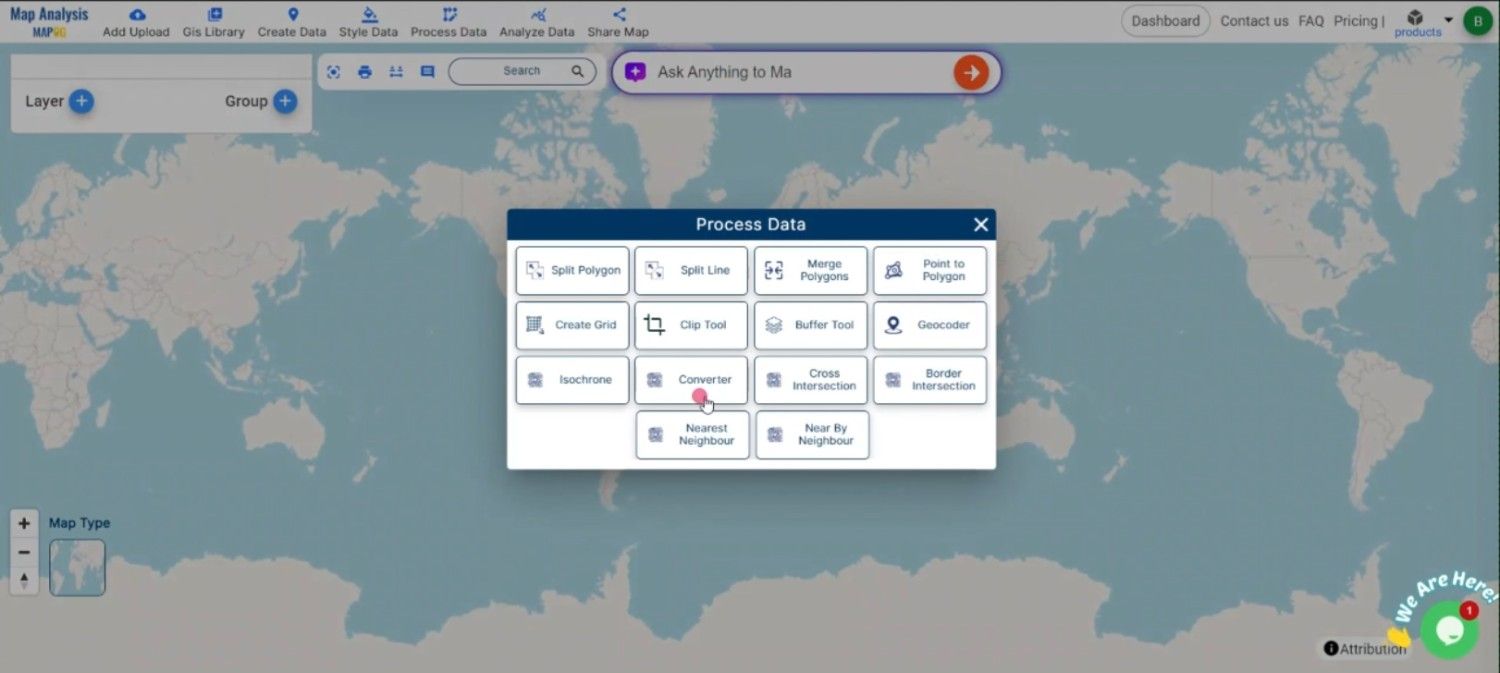
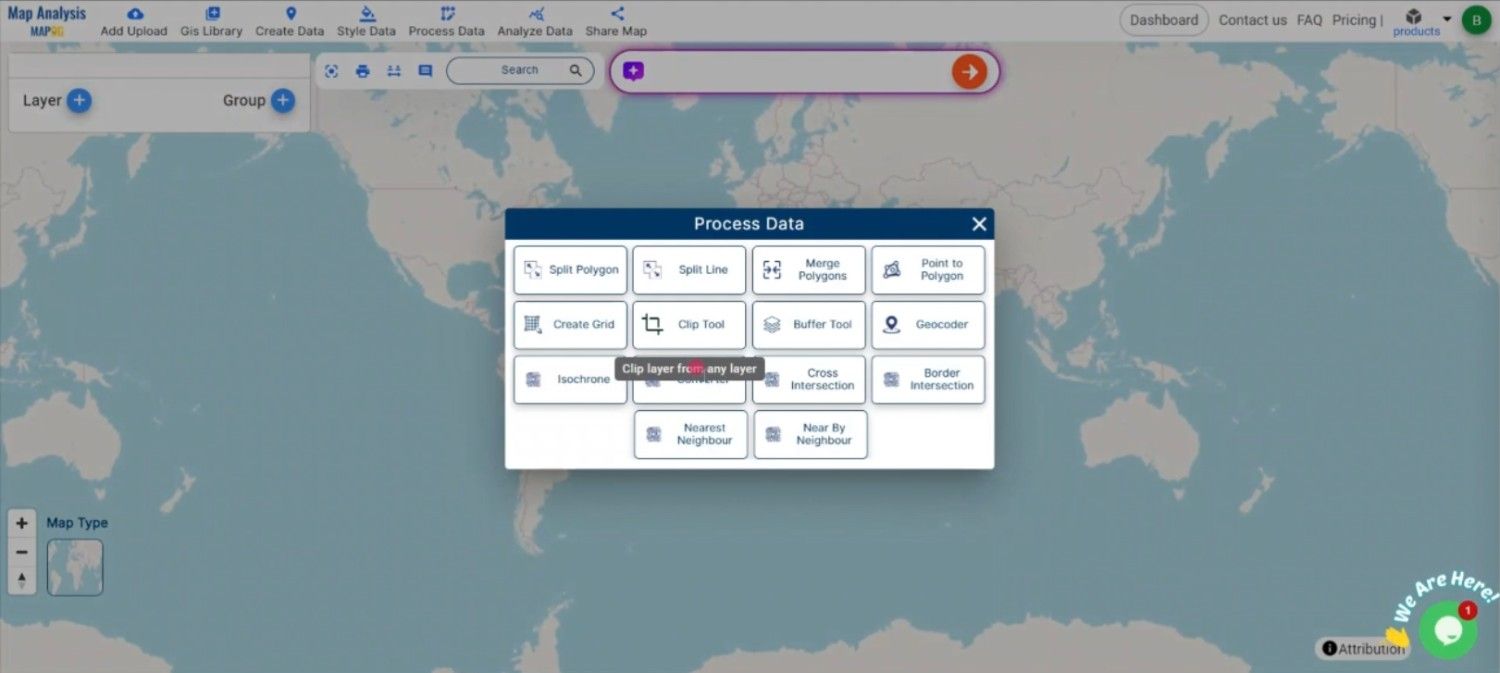
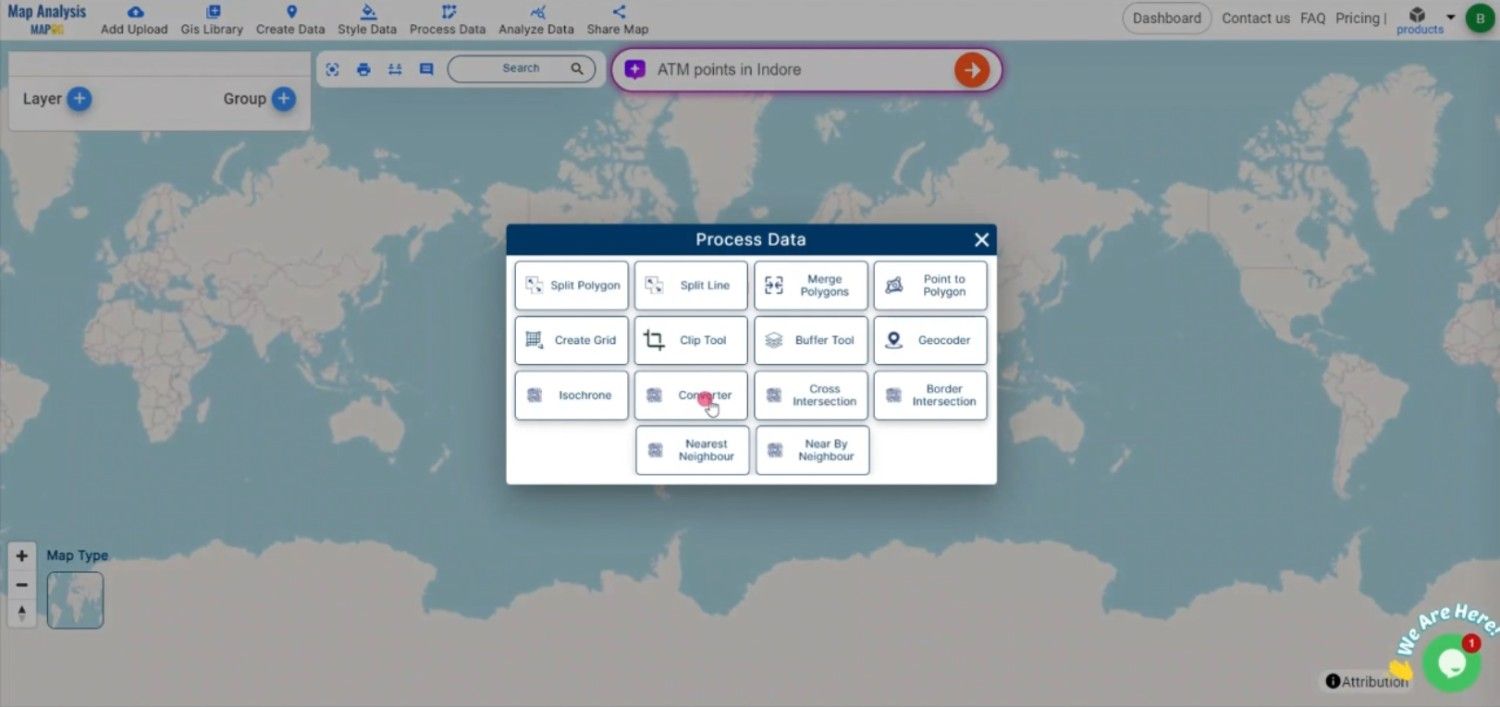
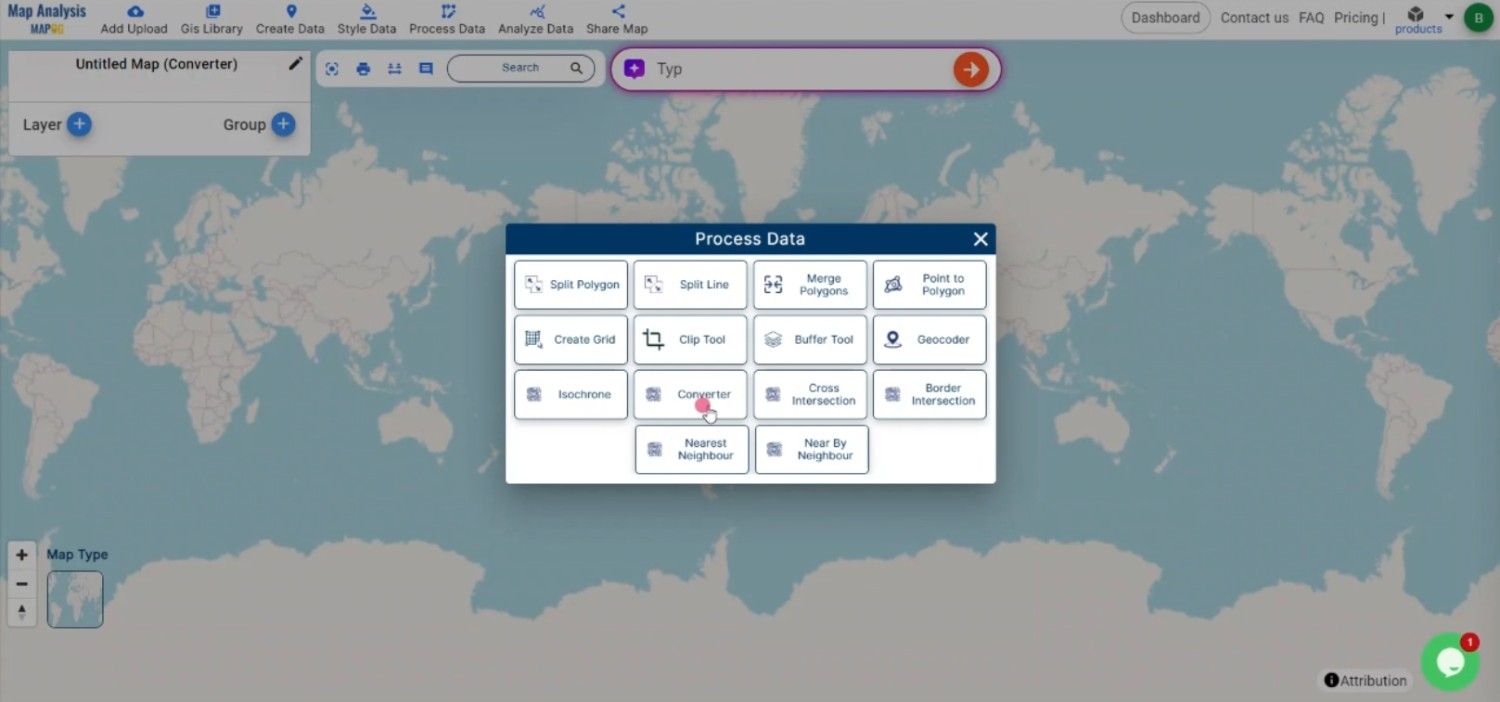
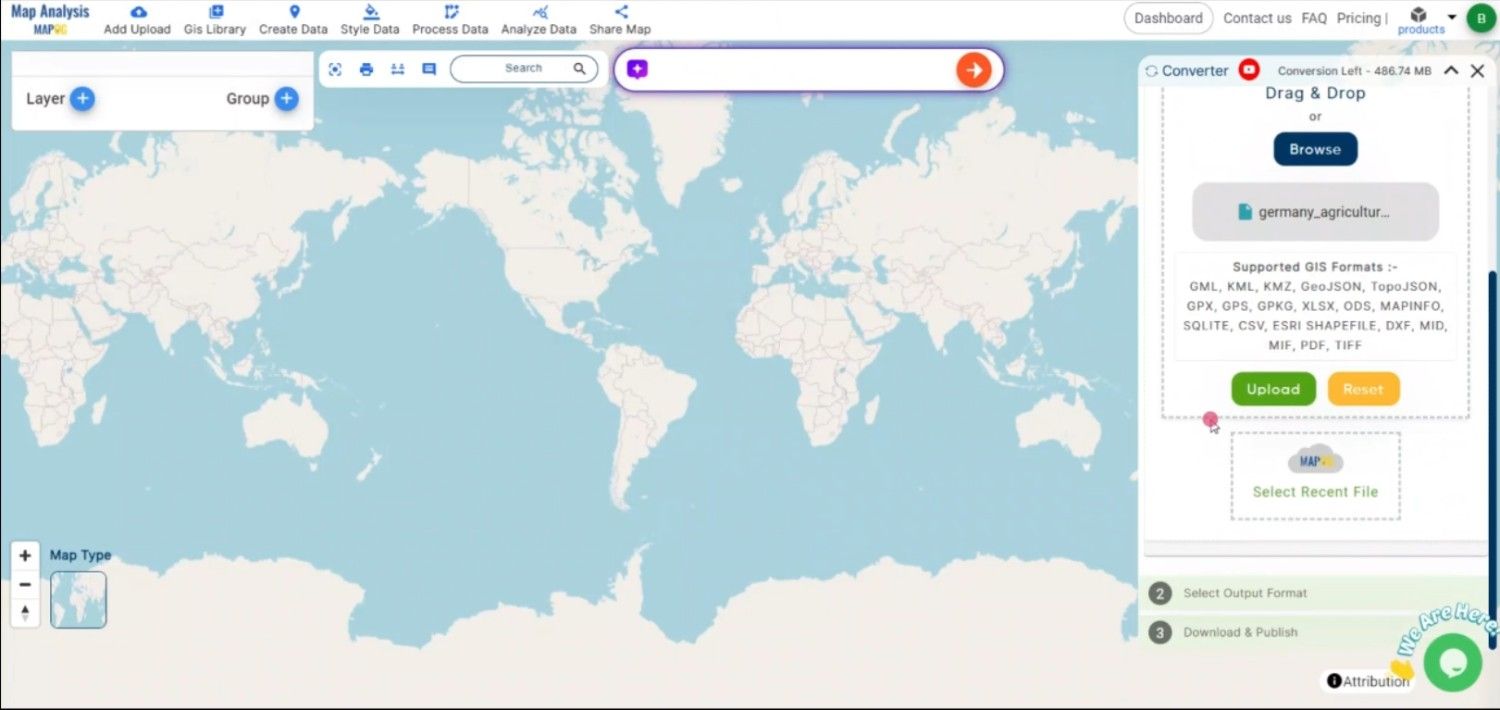
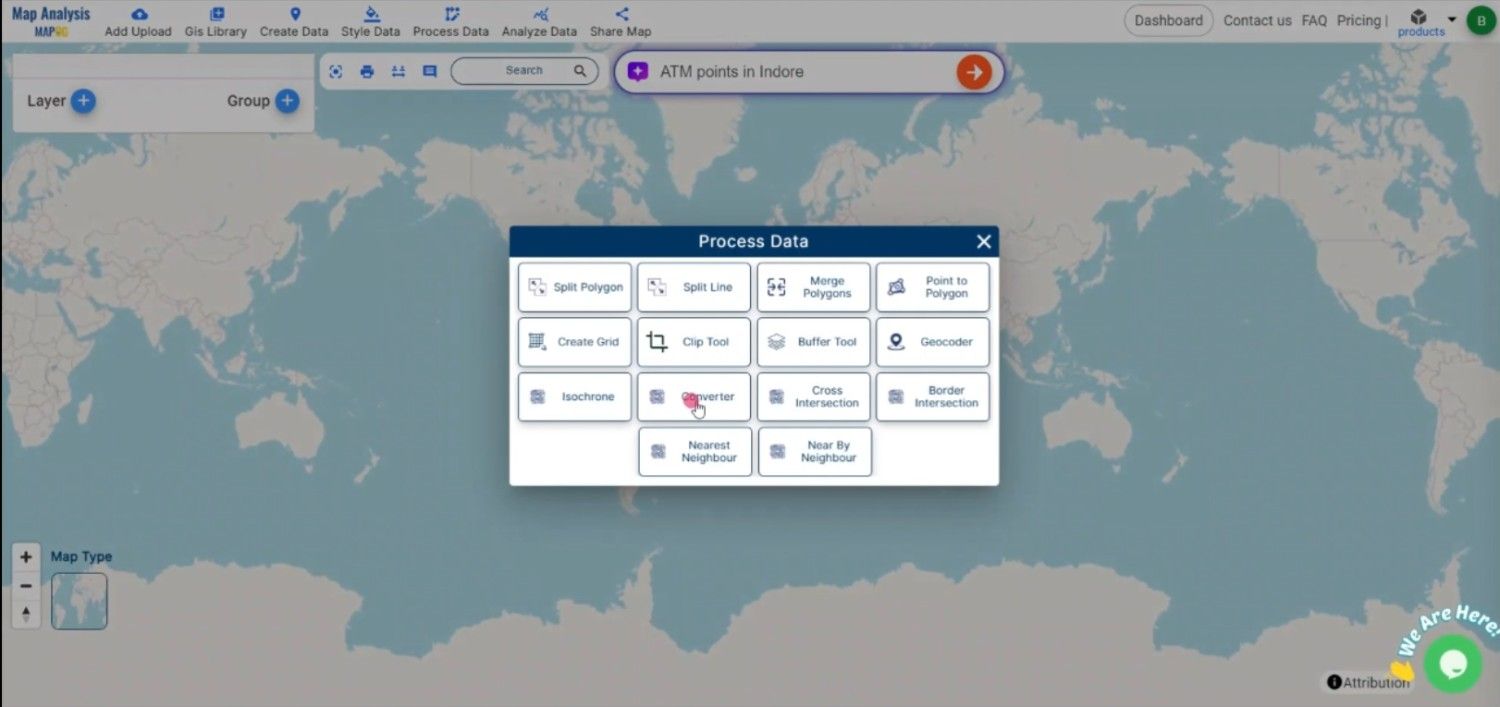
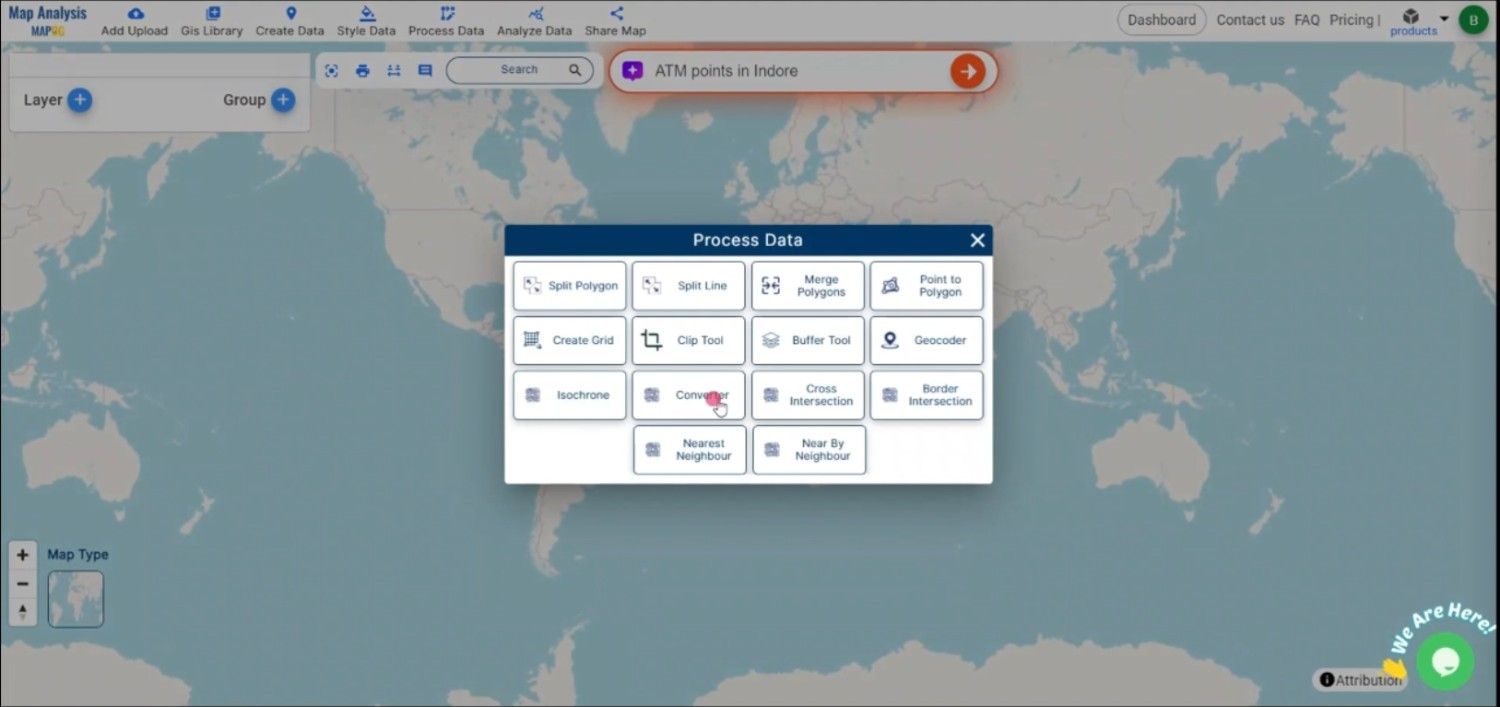
1. Click on the “Process Data” menu and choose the “Converter Tool” option.
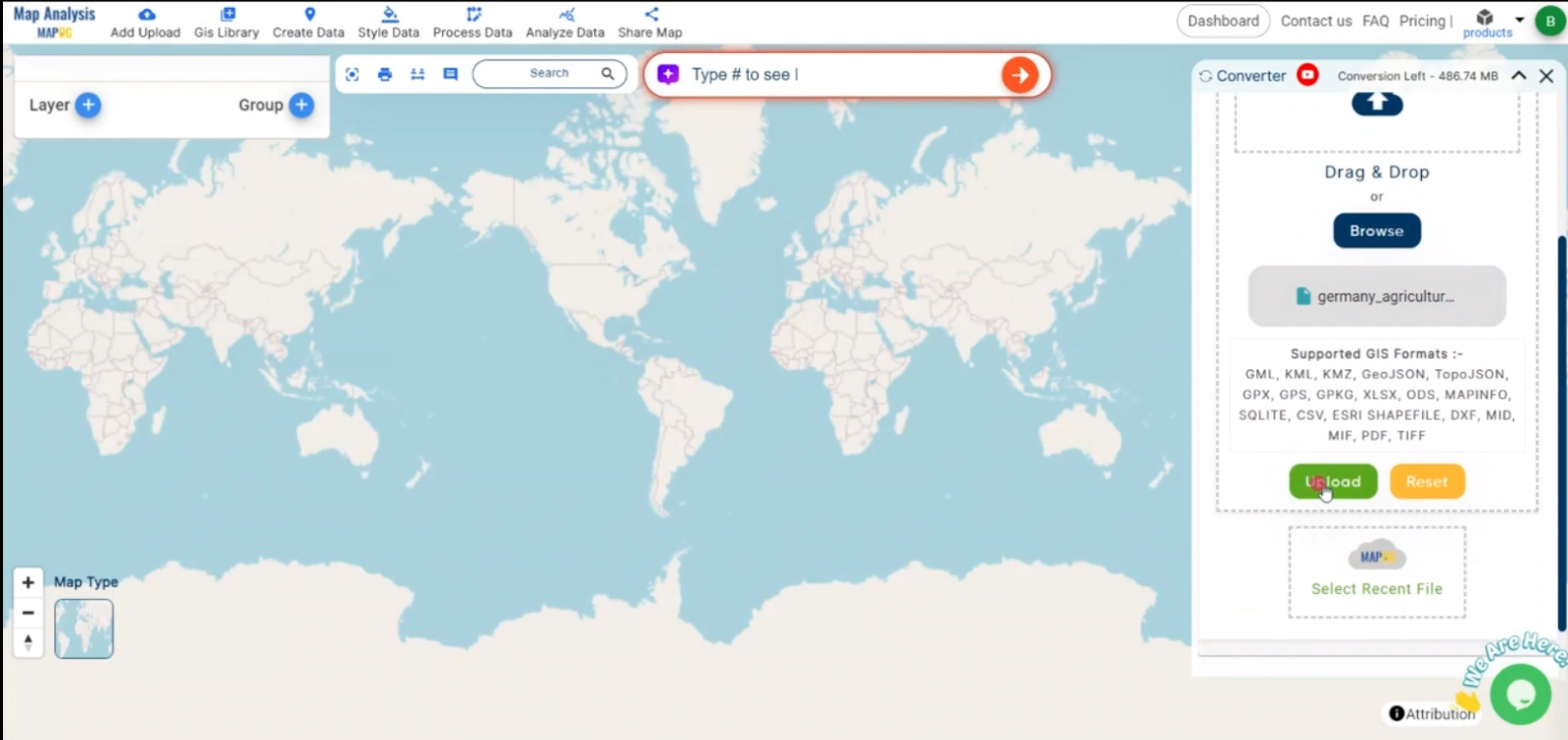
2.Upload your KMZ file. This is your starting point where you provide the data that needs conversion.
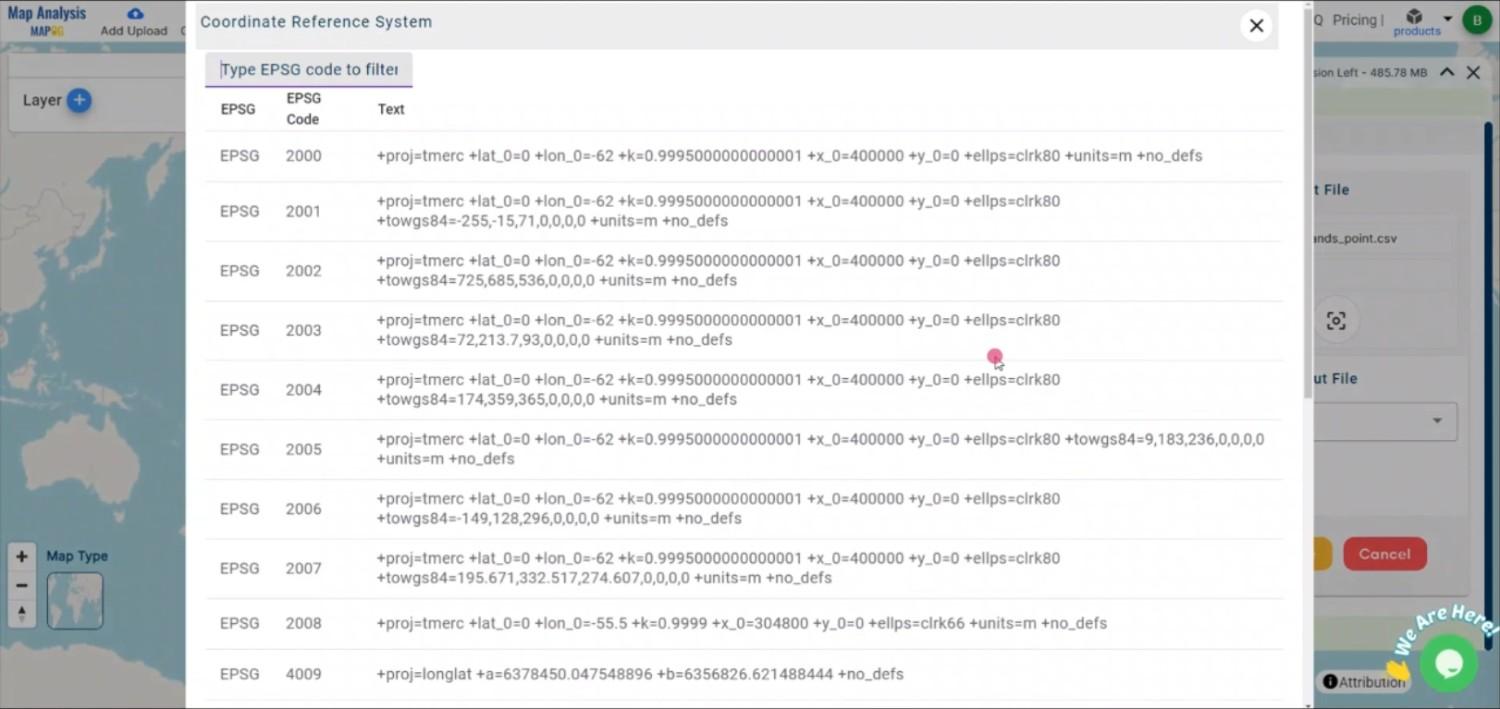
Step 2: Select the Format for Conversion
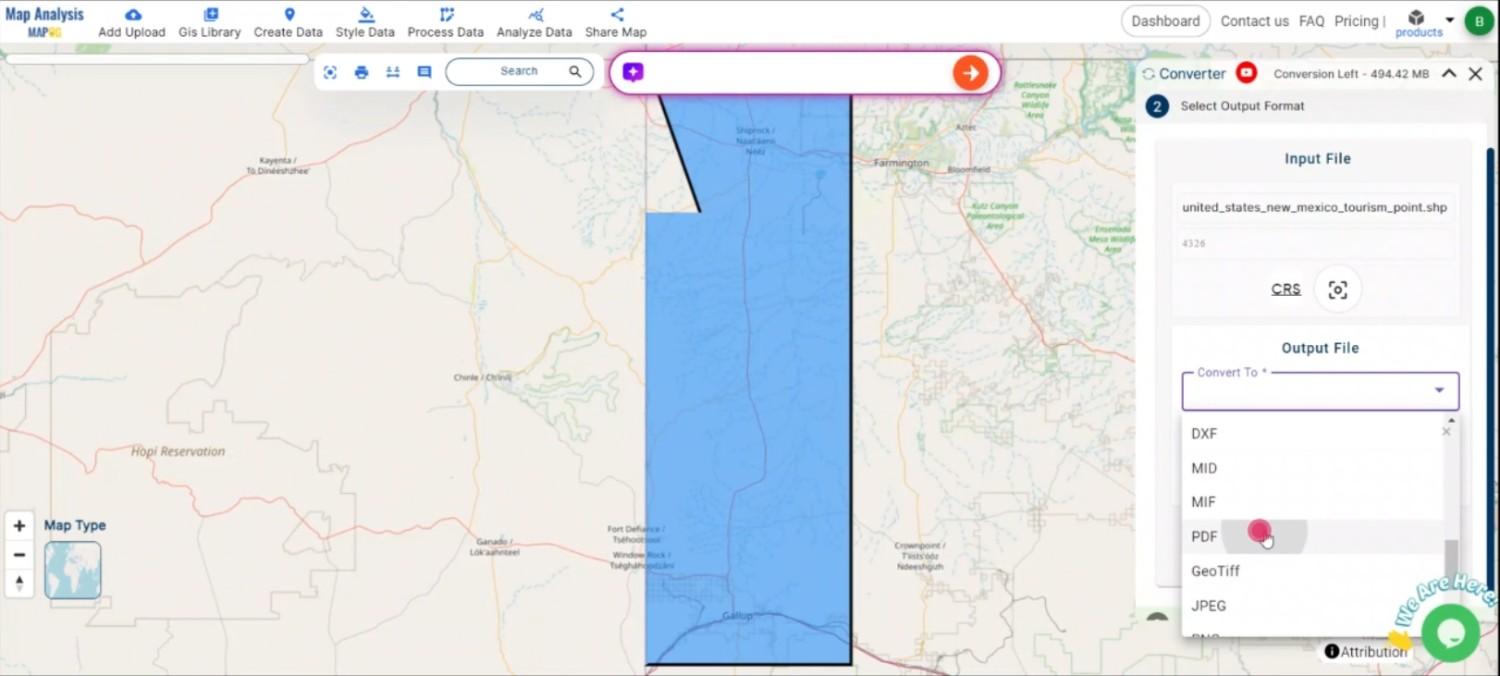
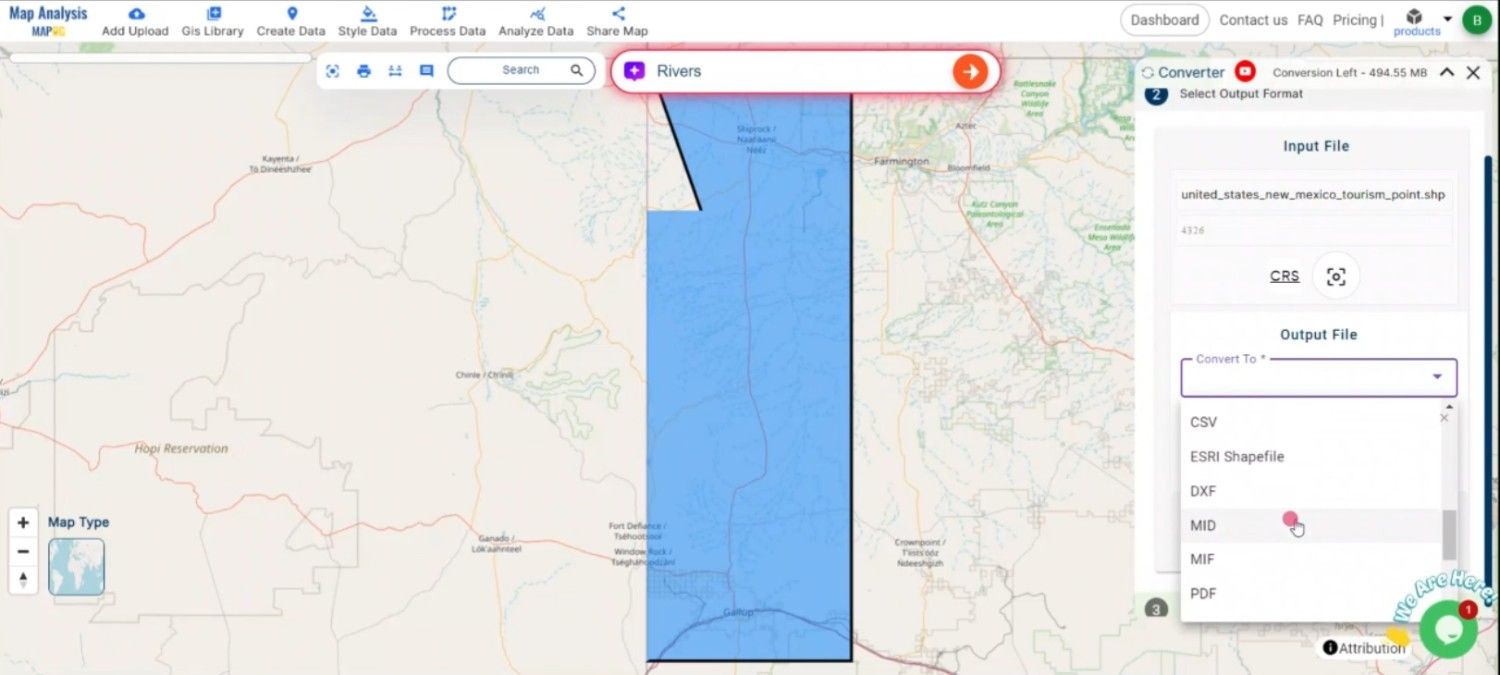
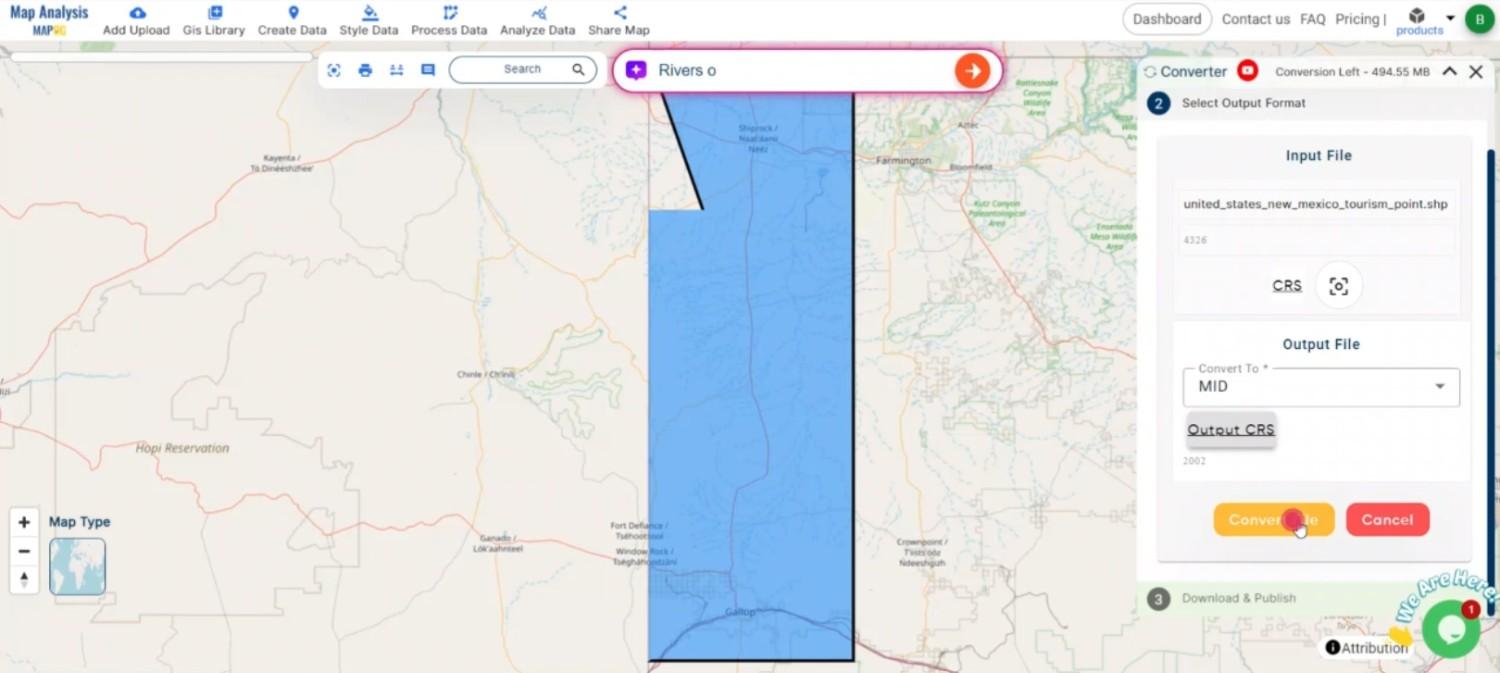
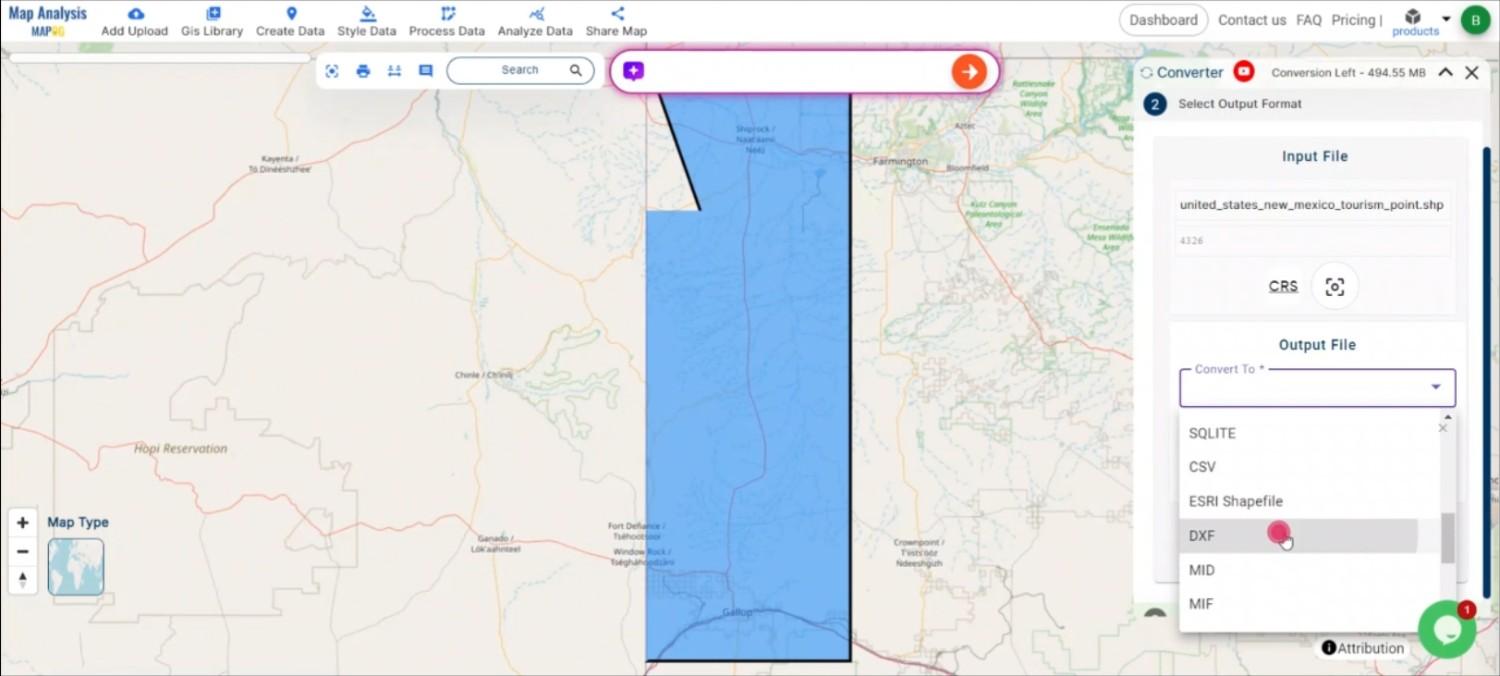
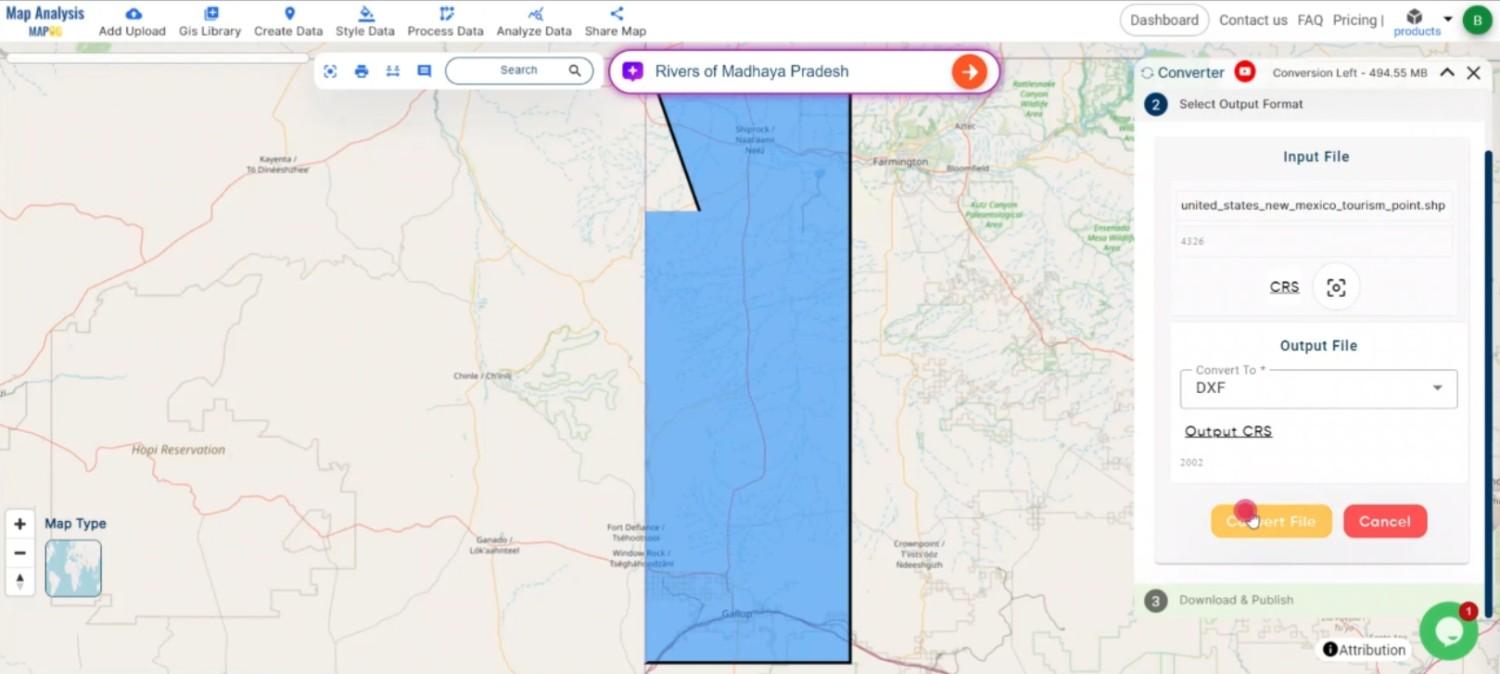
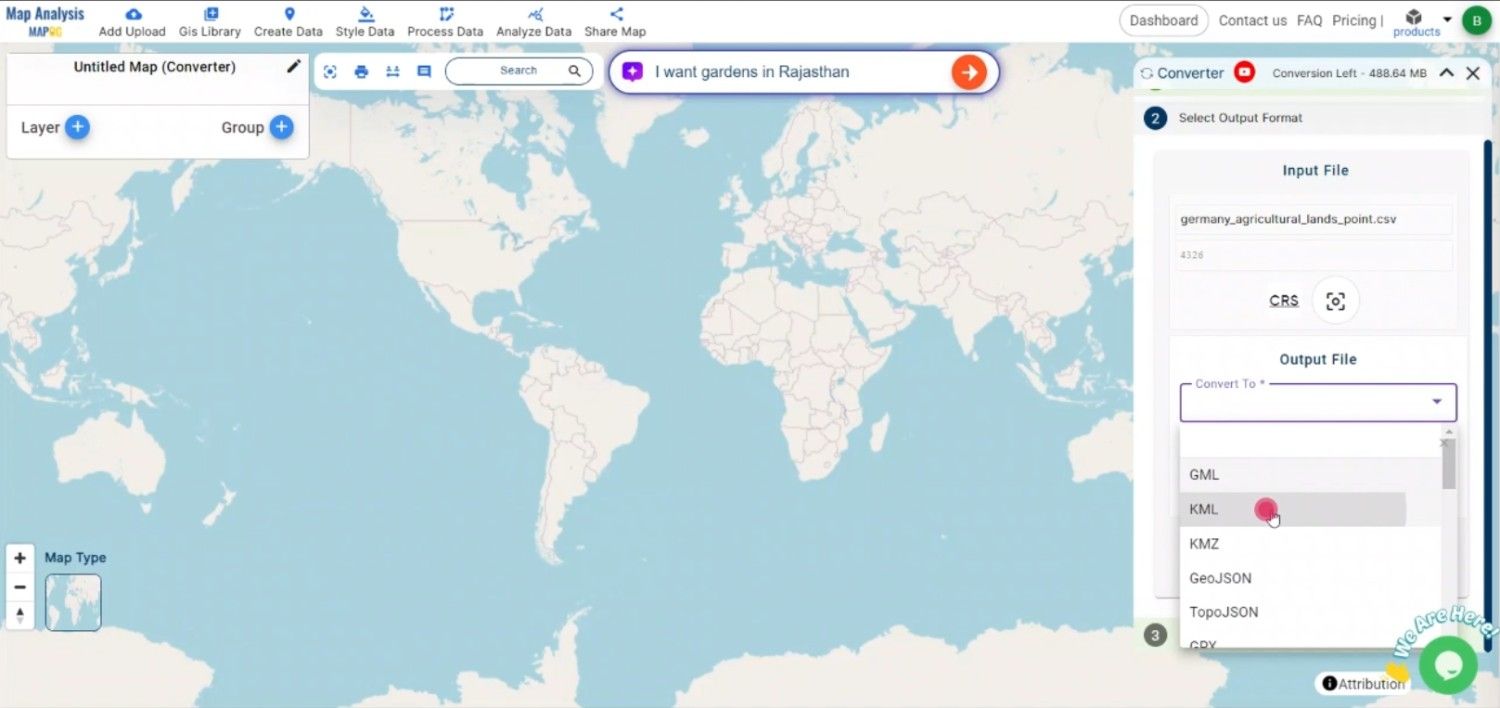
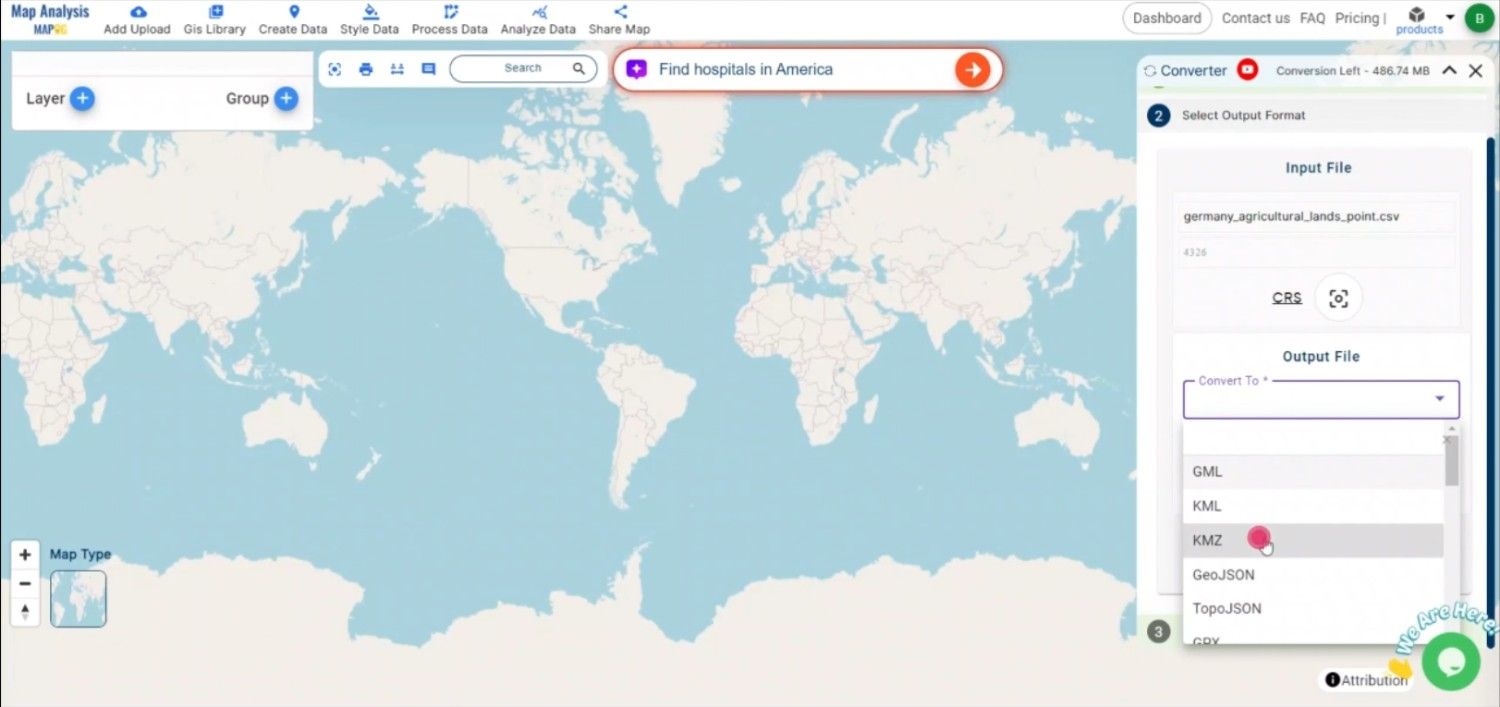
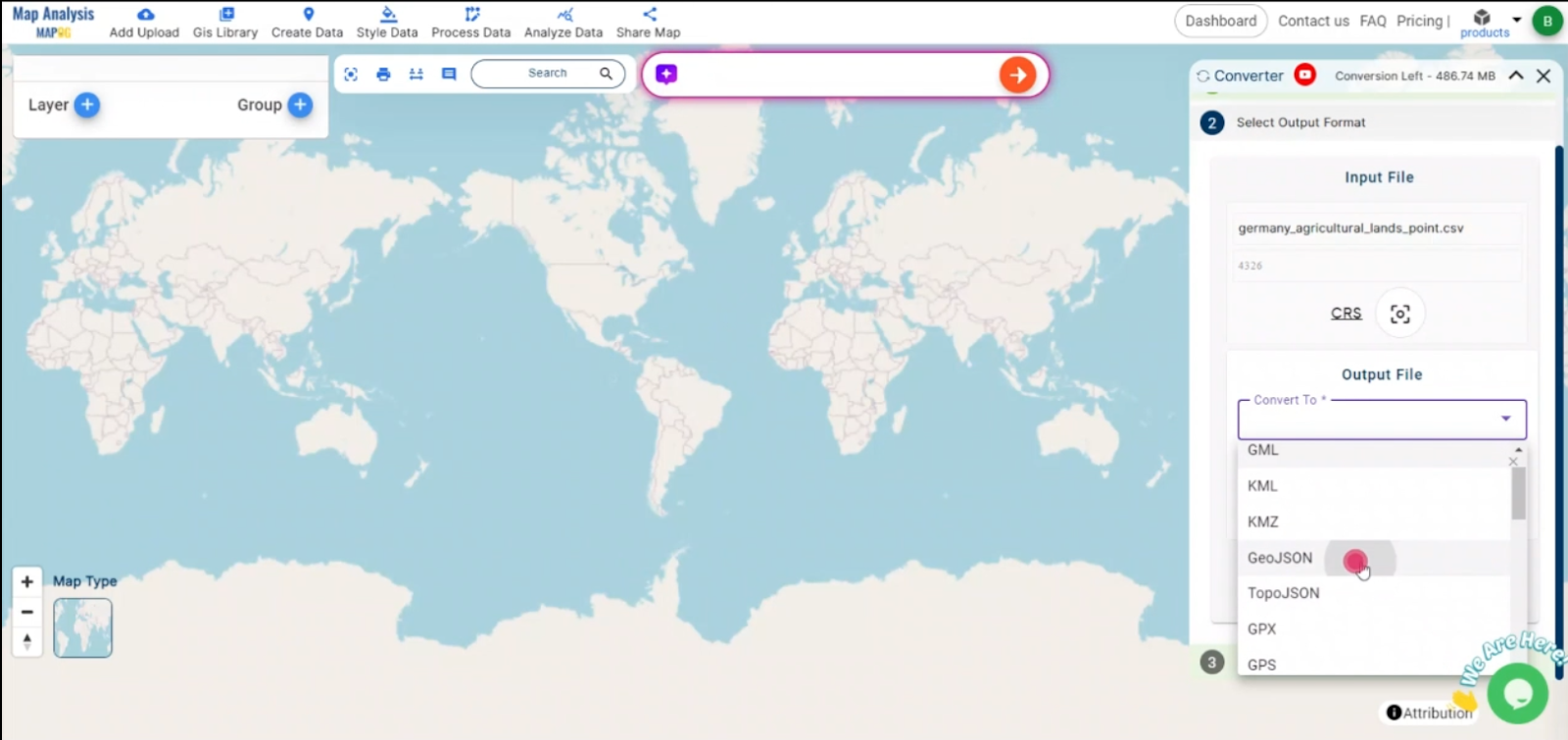
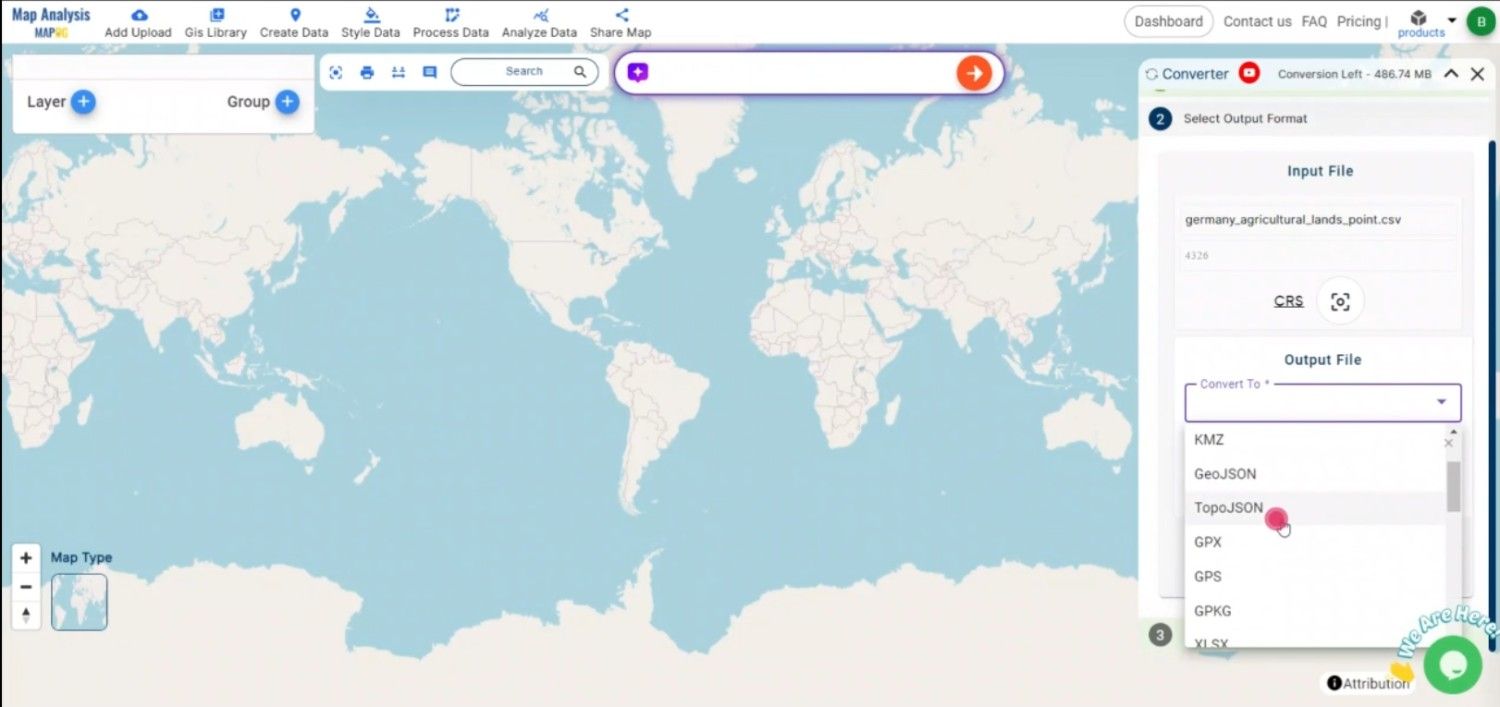
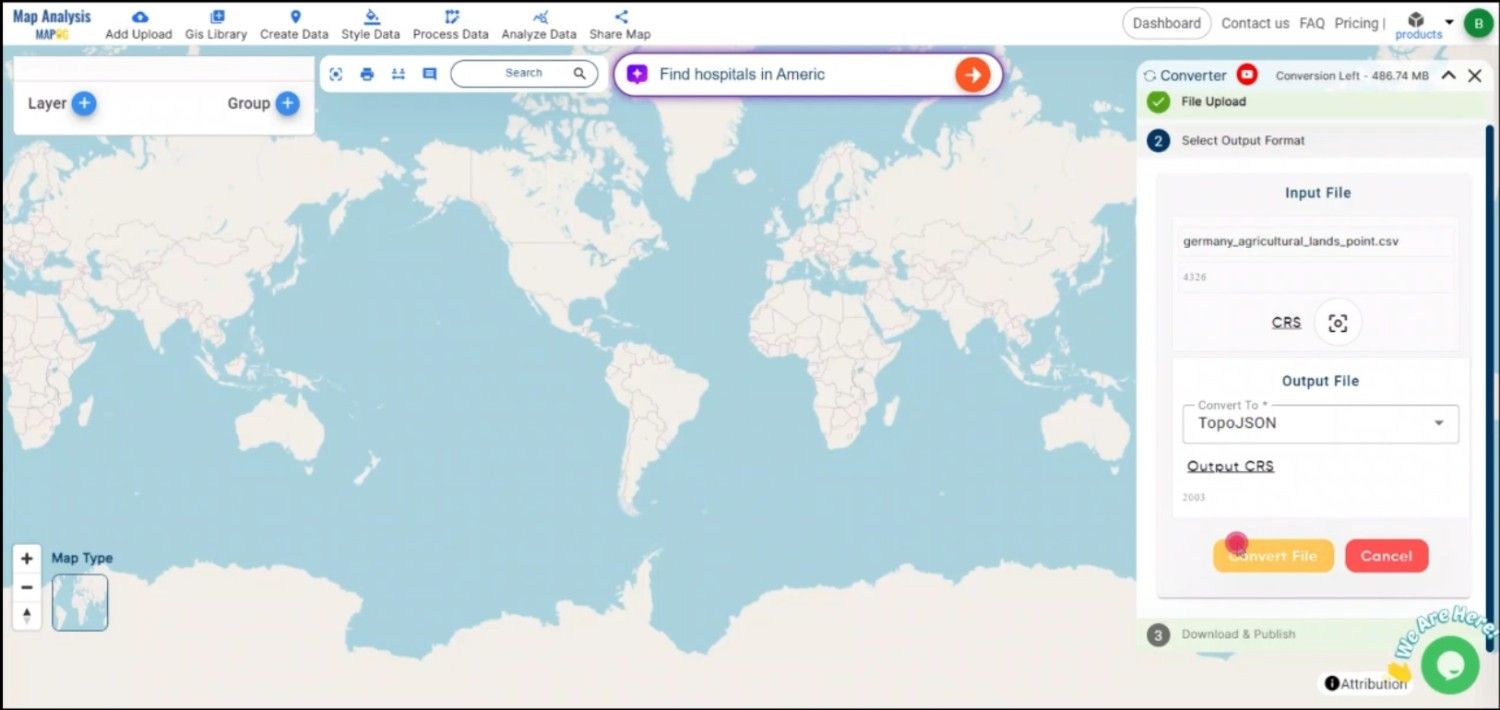
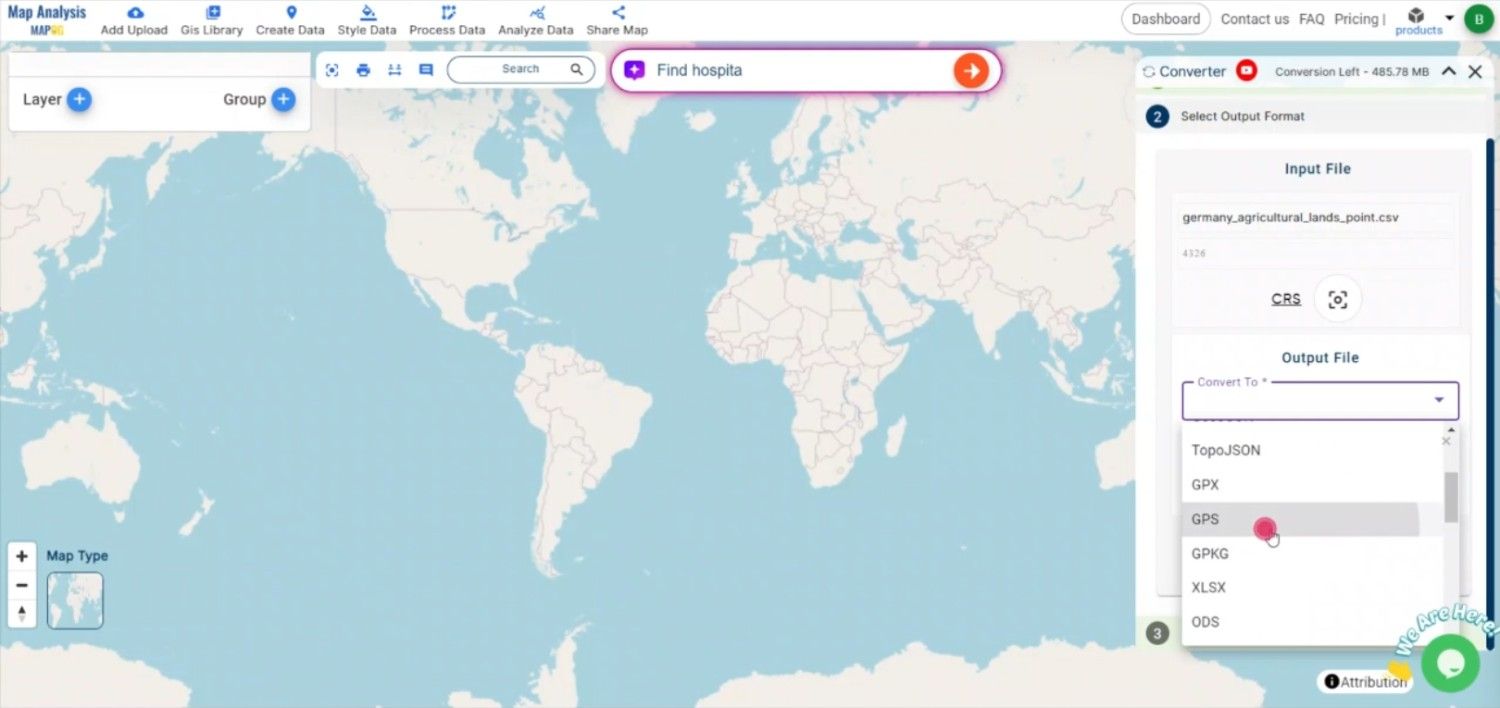
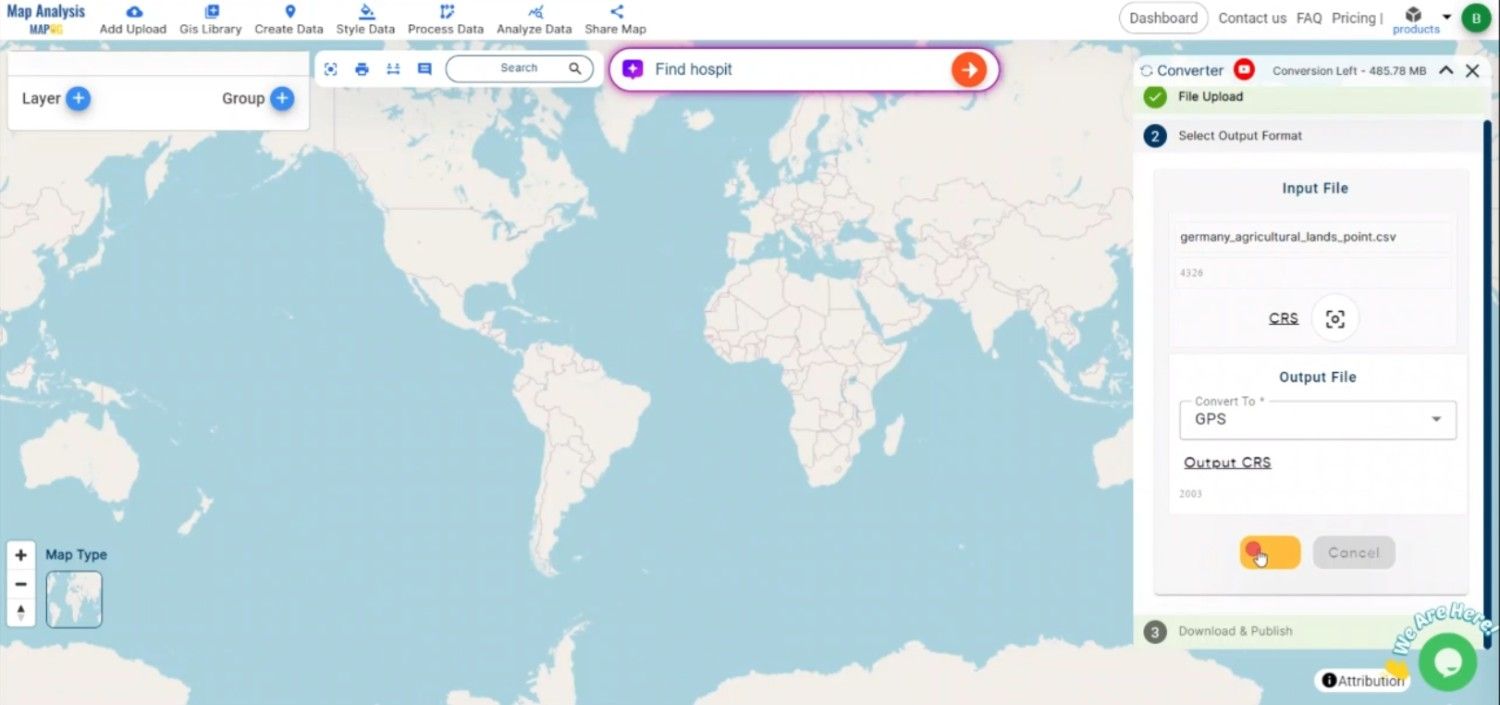
1.Choose the output file format as MIF. The tool offers various formats, but for this guide, we are focusing on converting to MIF.
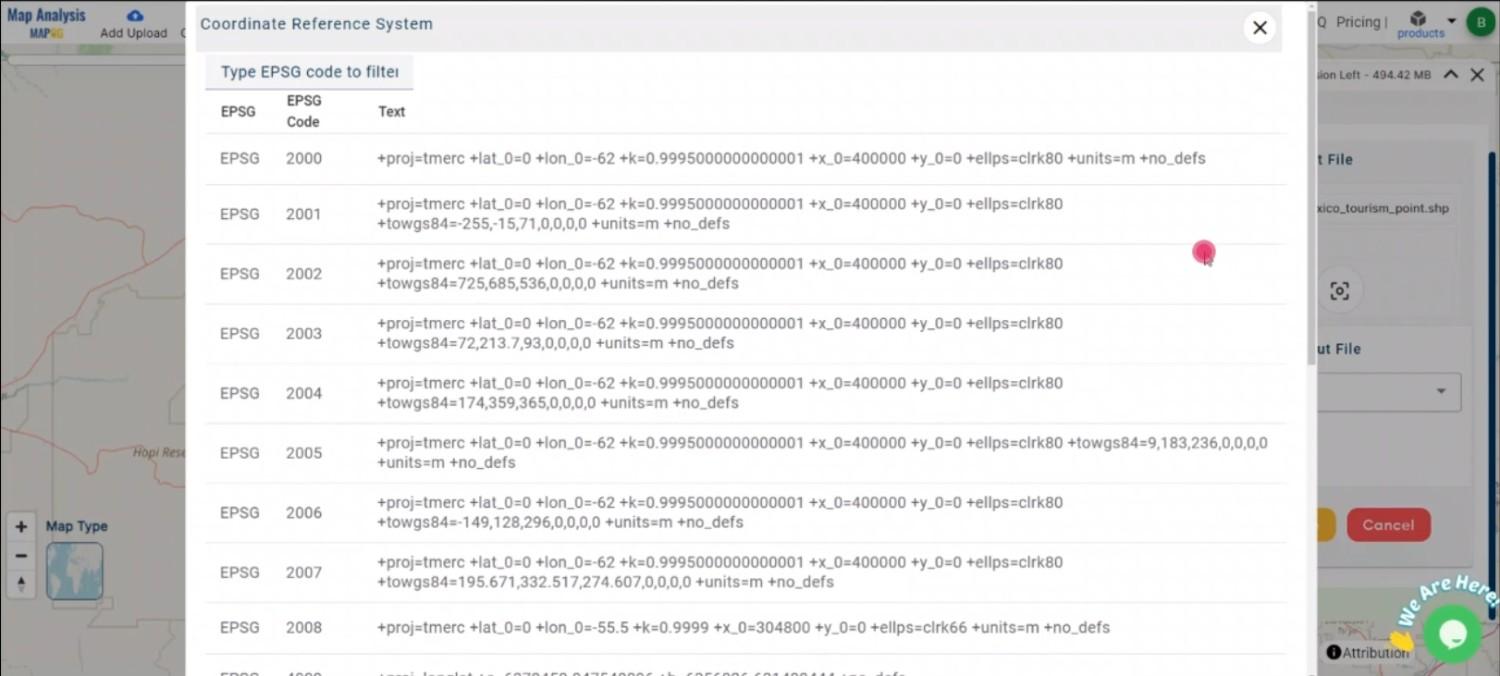
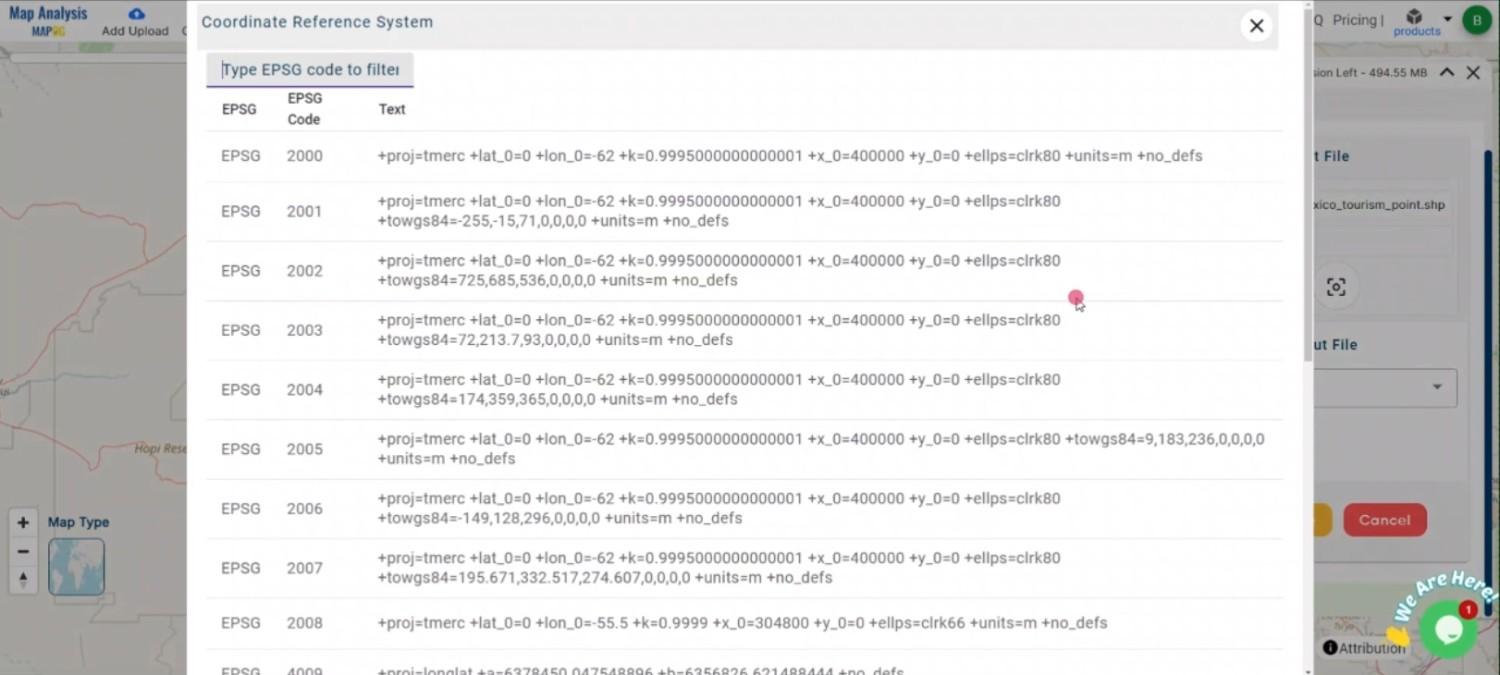
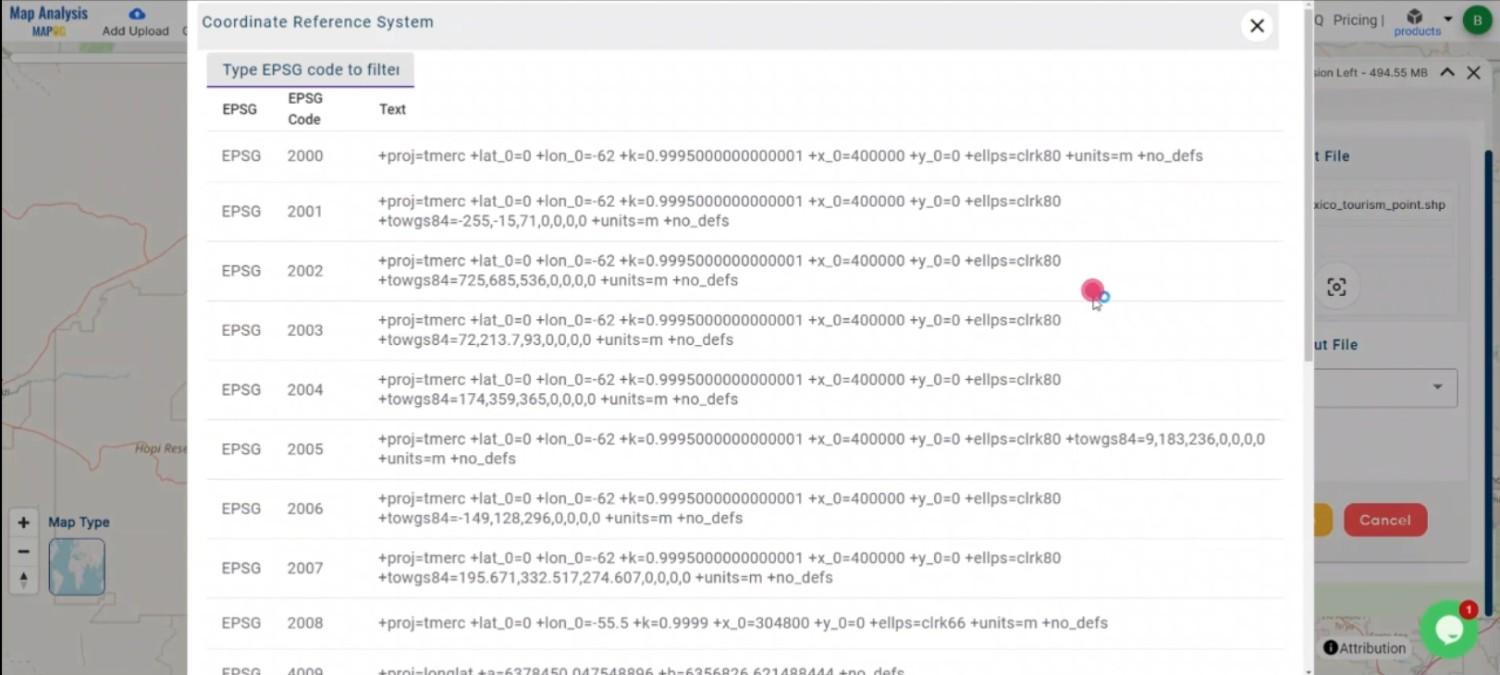
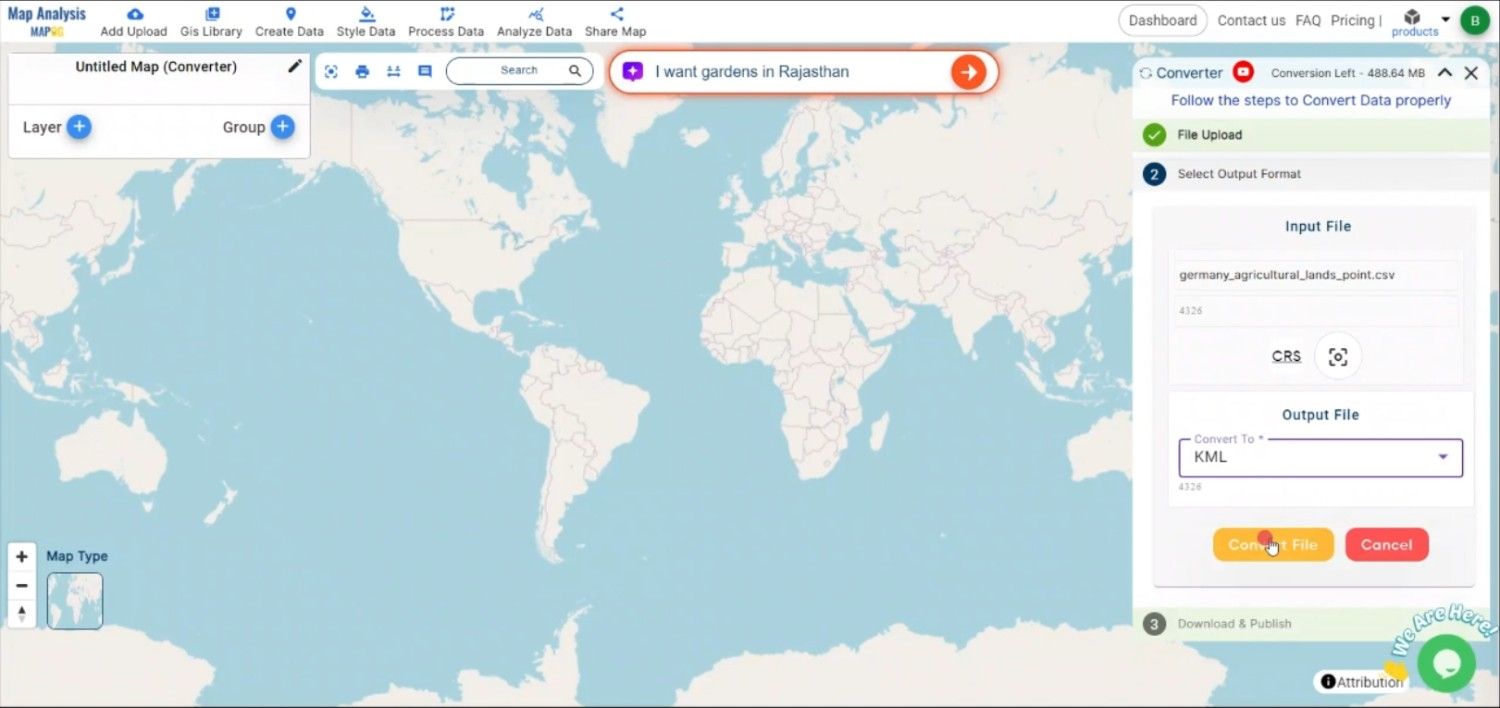
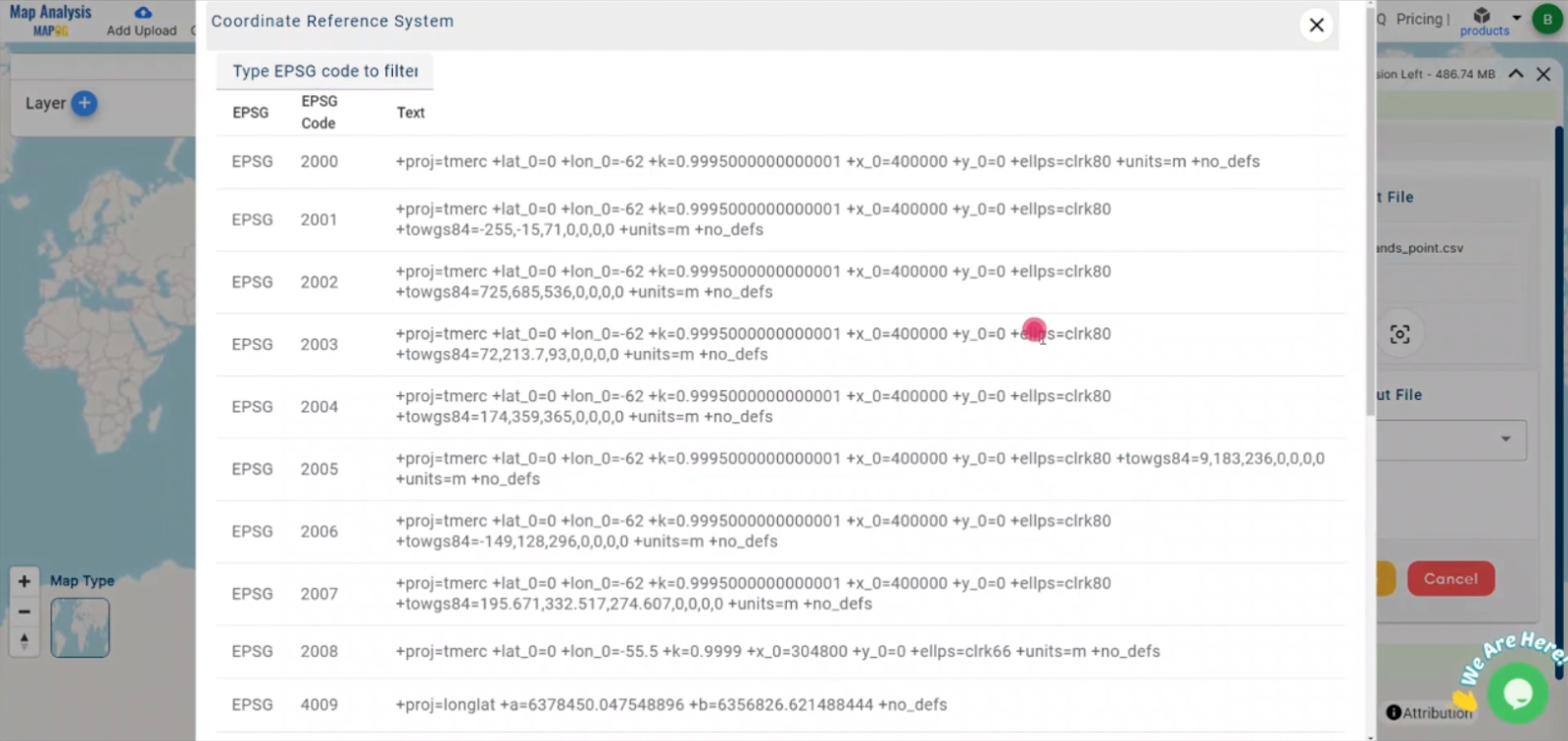
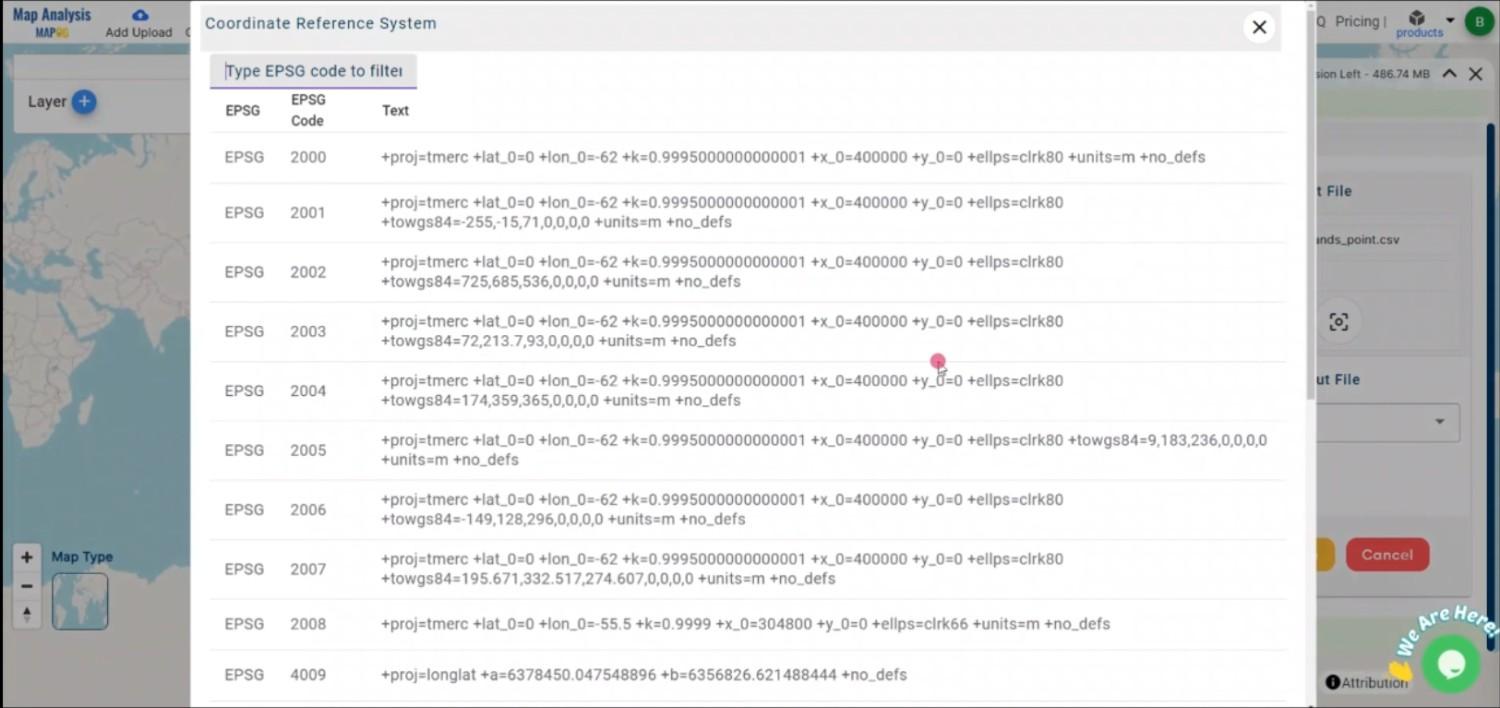
2.You can also set the CRS at this stage.
Step 3: Run the Conversion
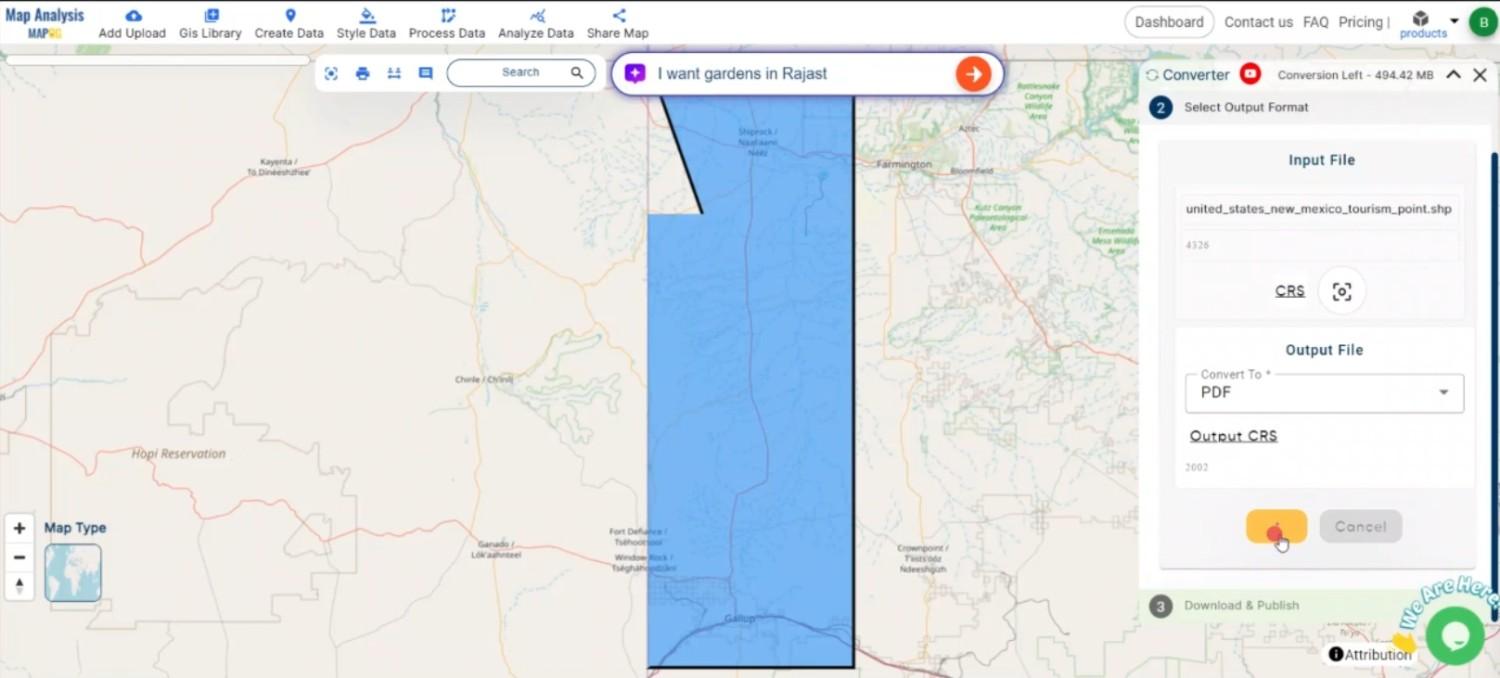
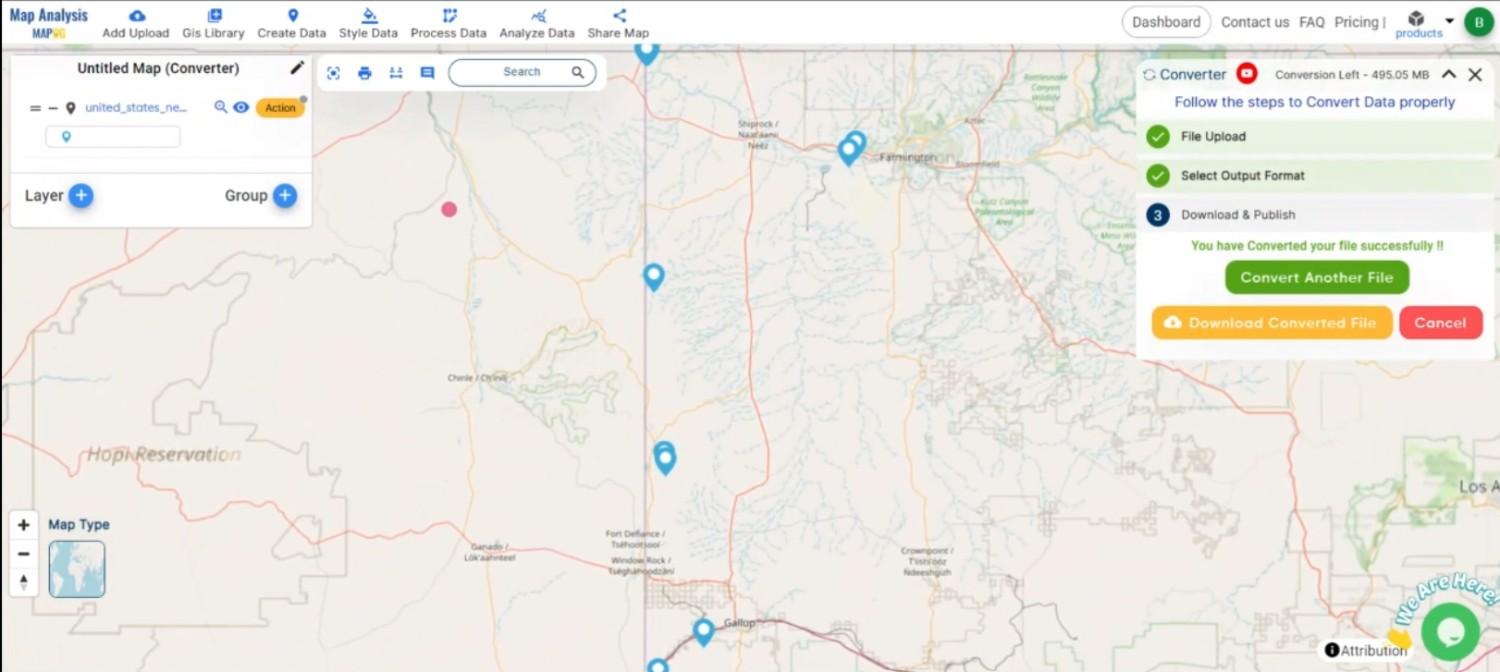
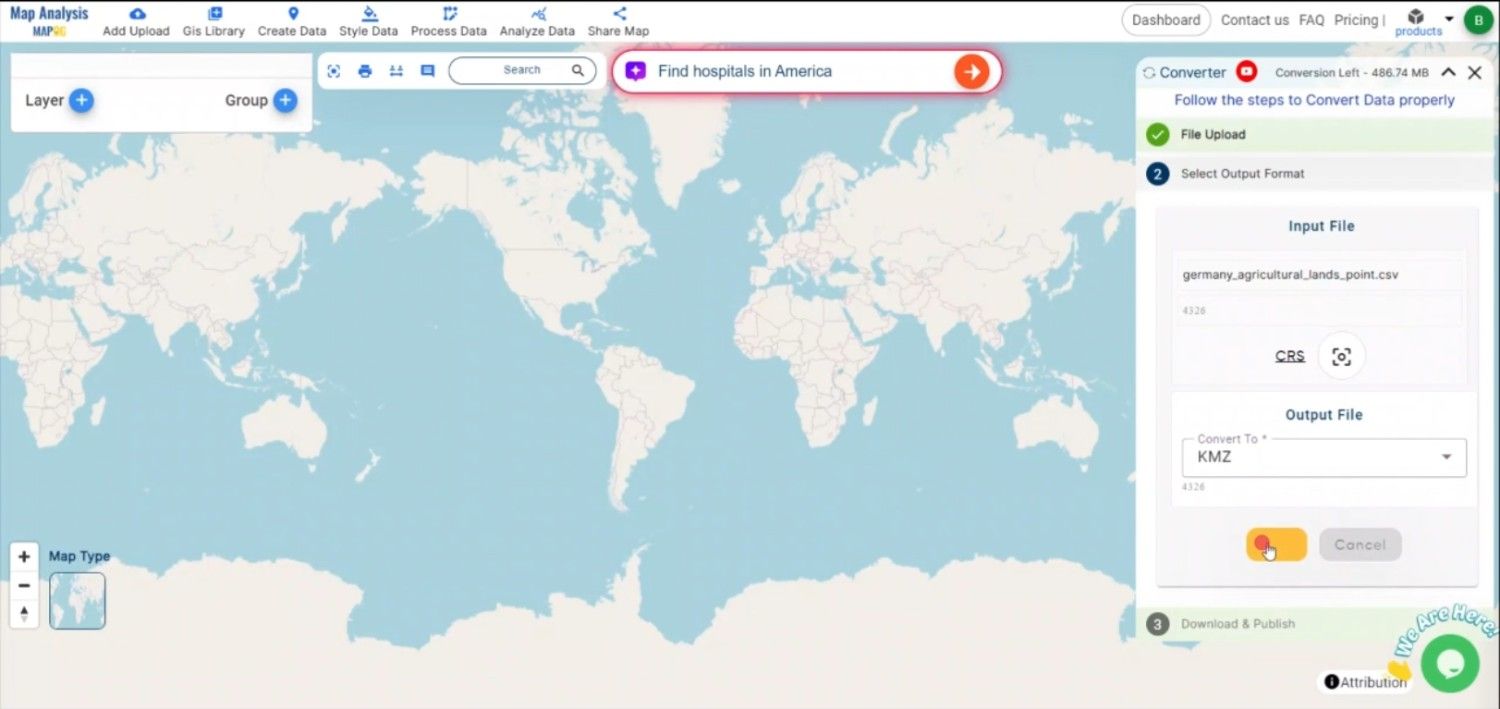
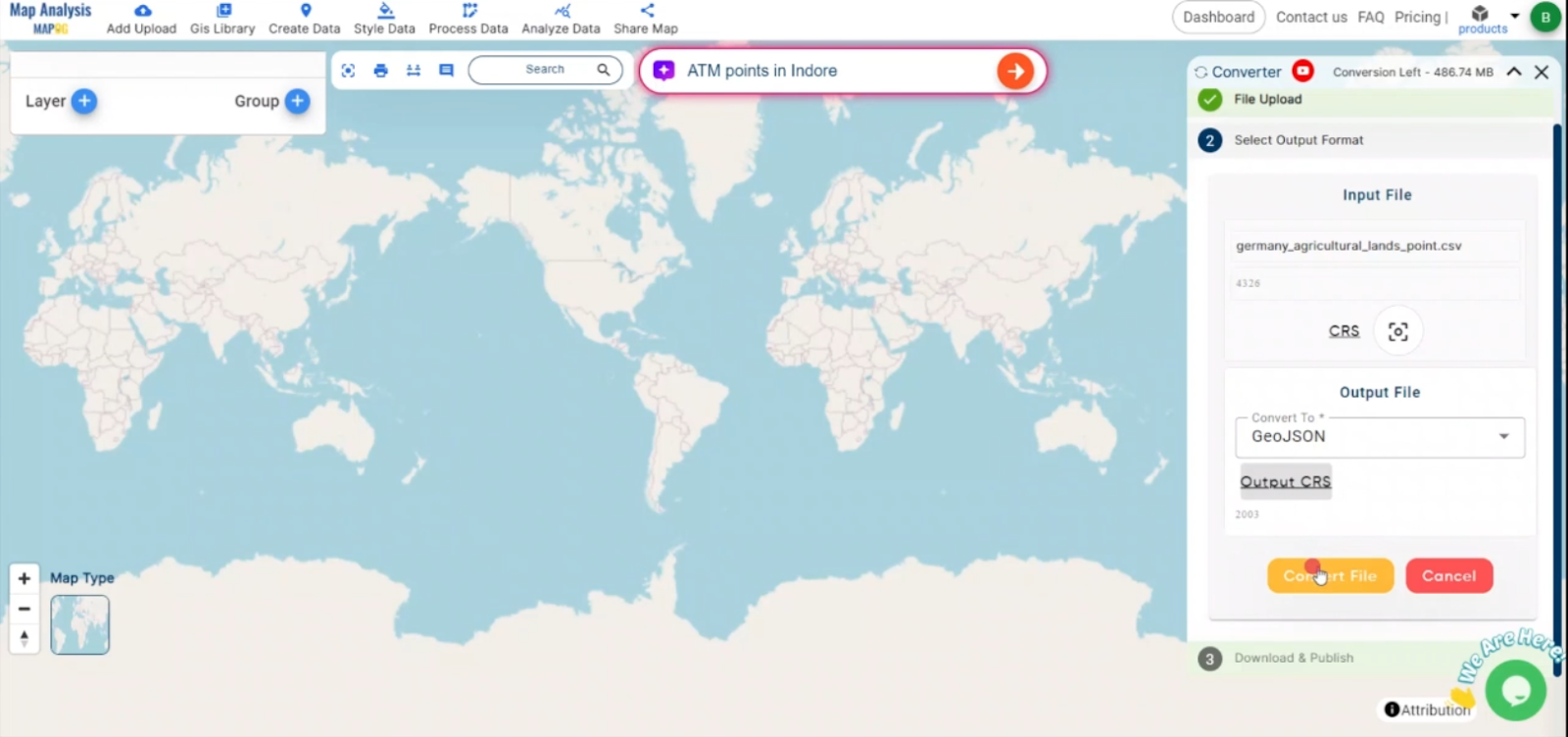
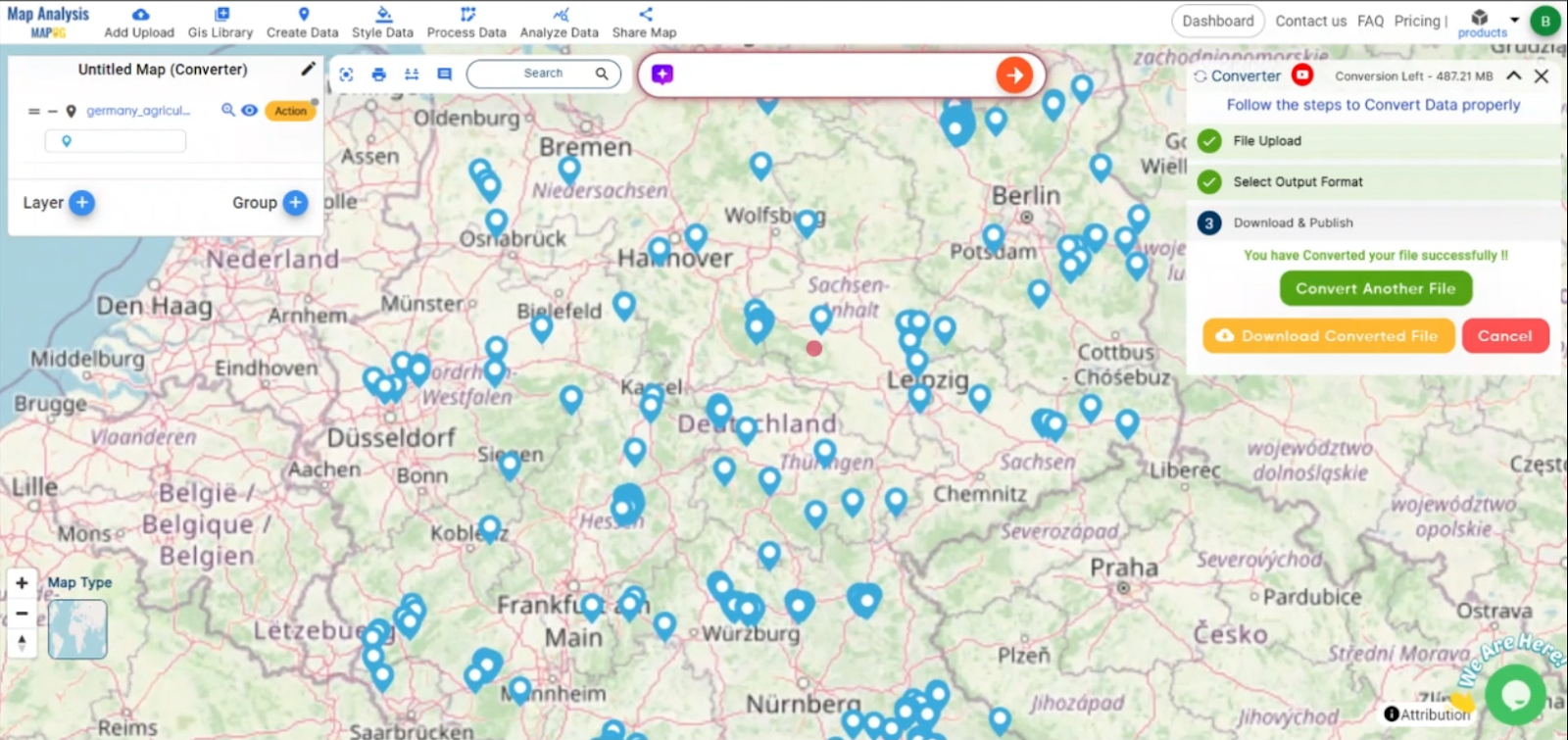
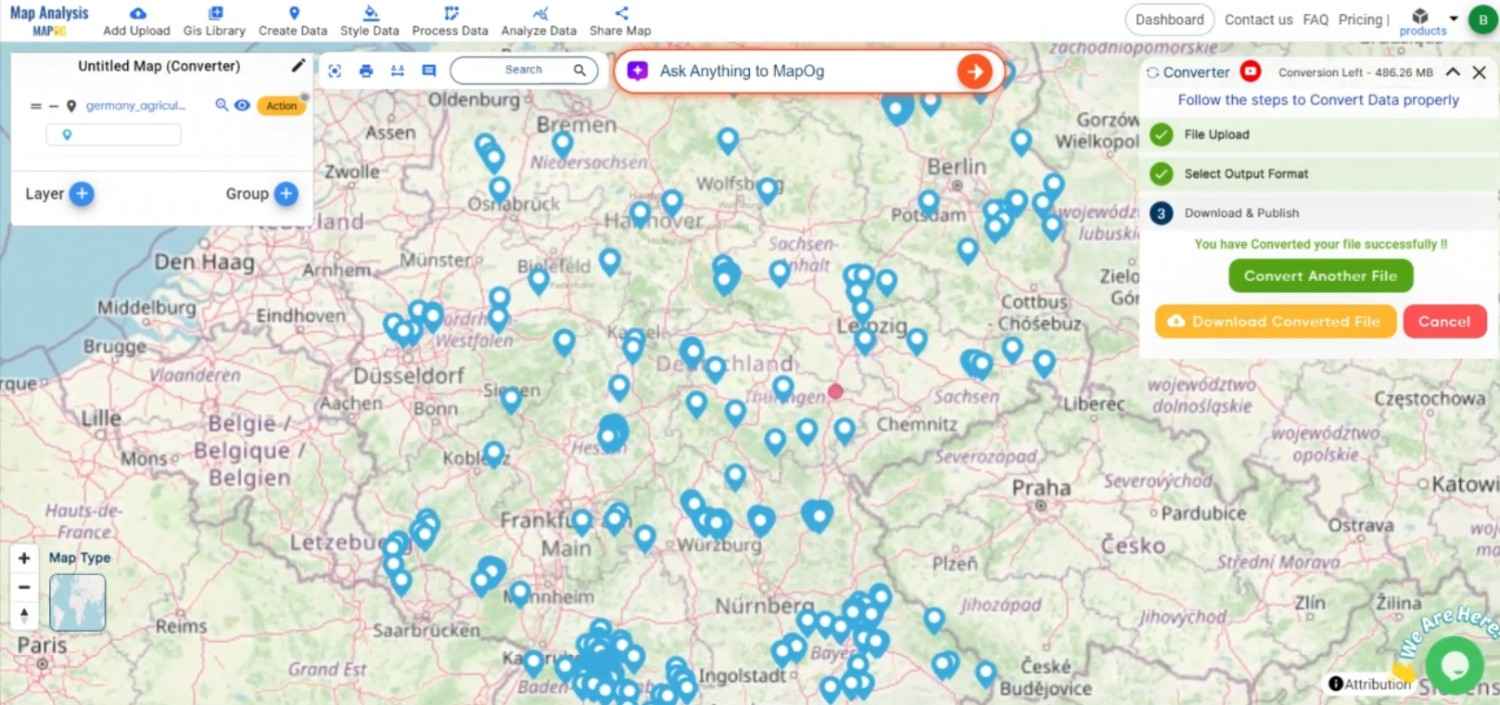
Click ‘Convert’ and let the tool work its magic. The Converter Tool processes your data, transforming it from KMZ to MIF format.
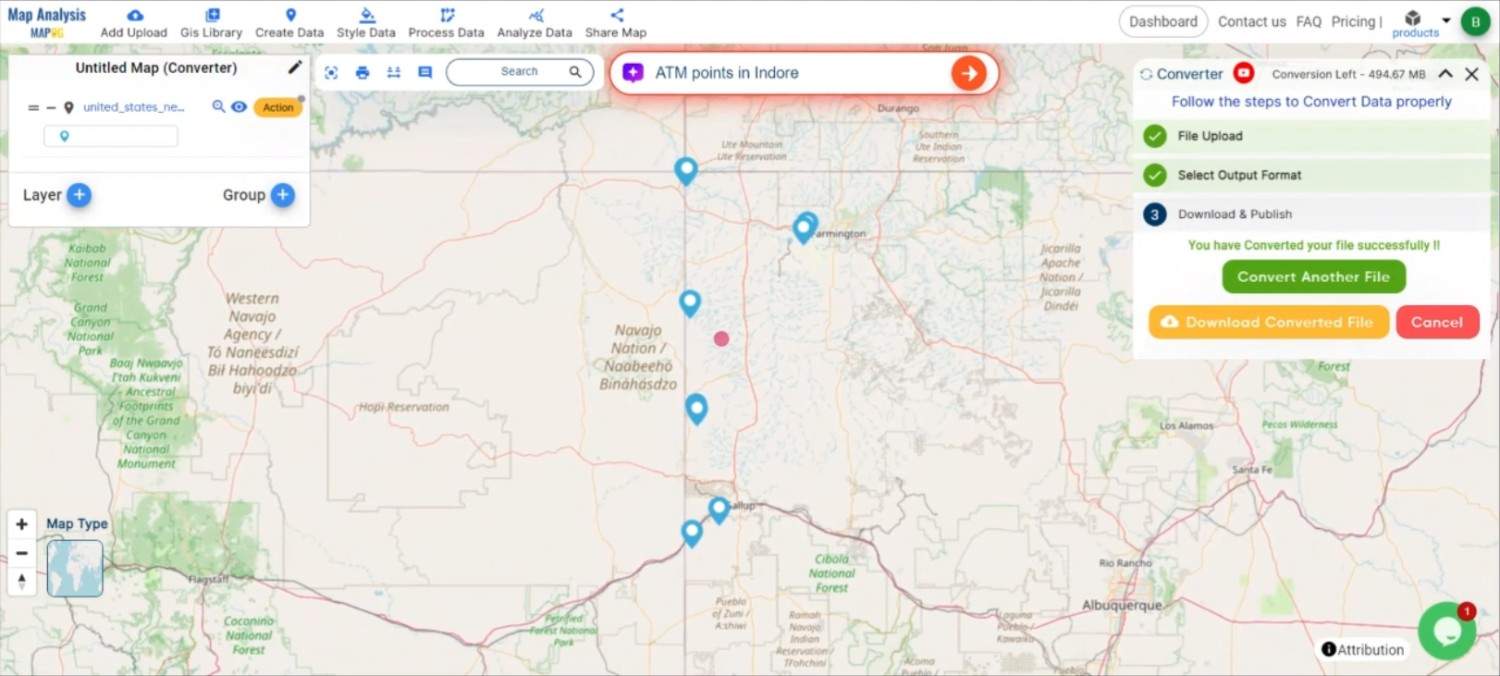
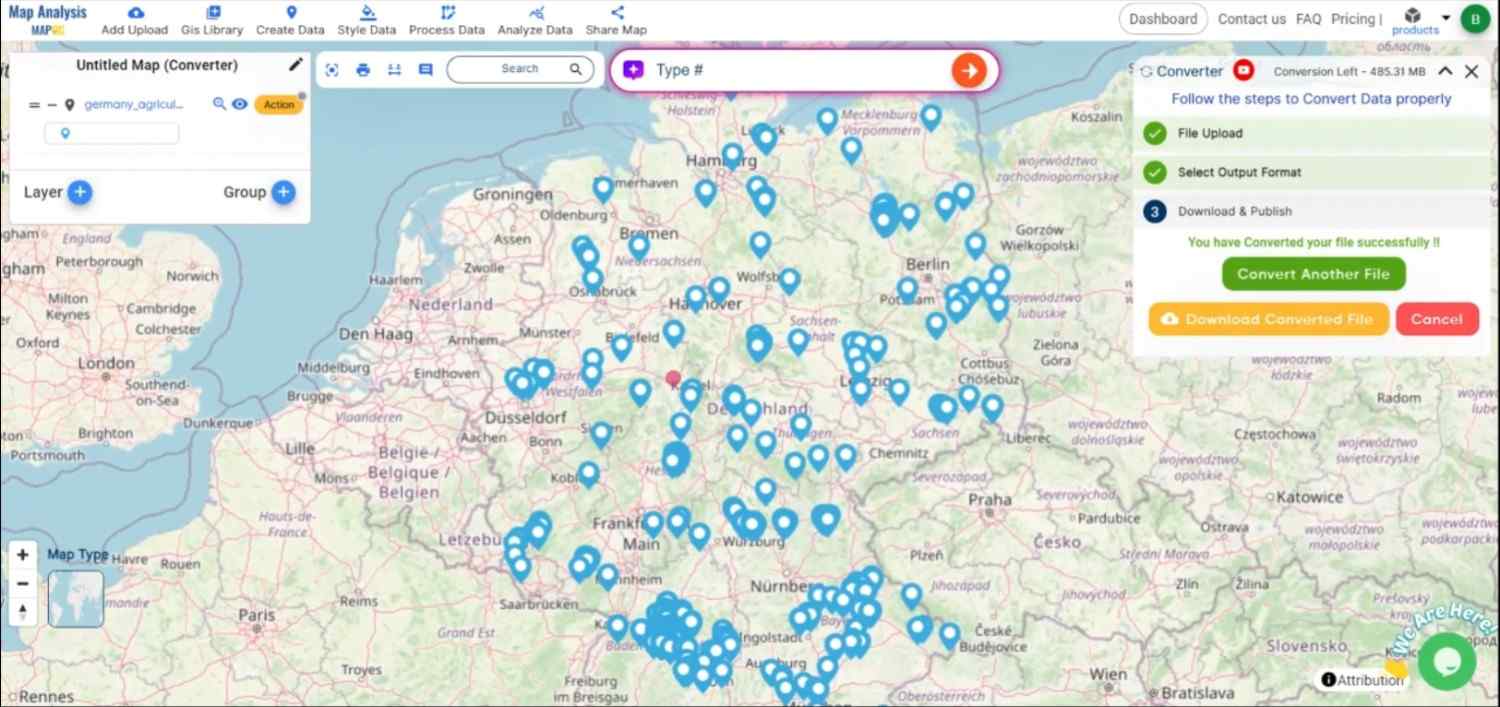
Step 4: Review and Download
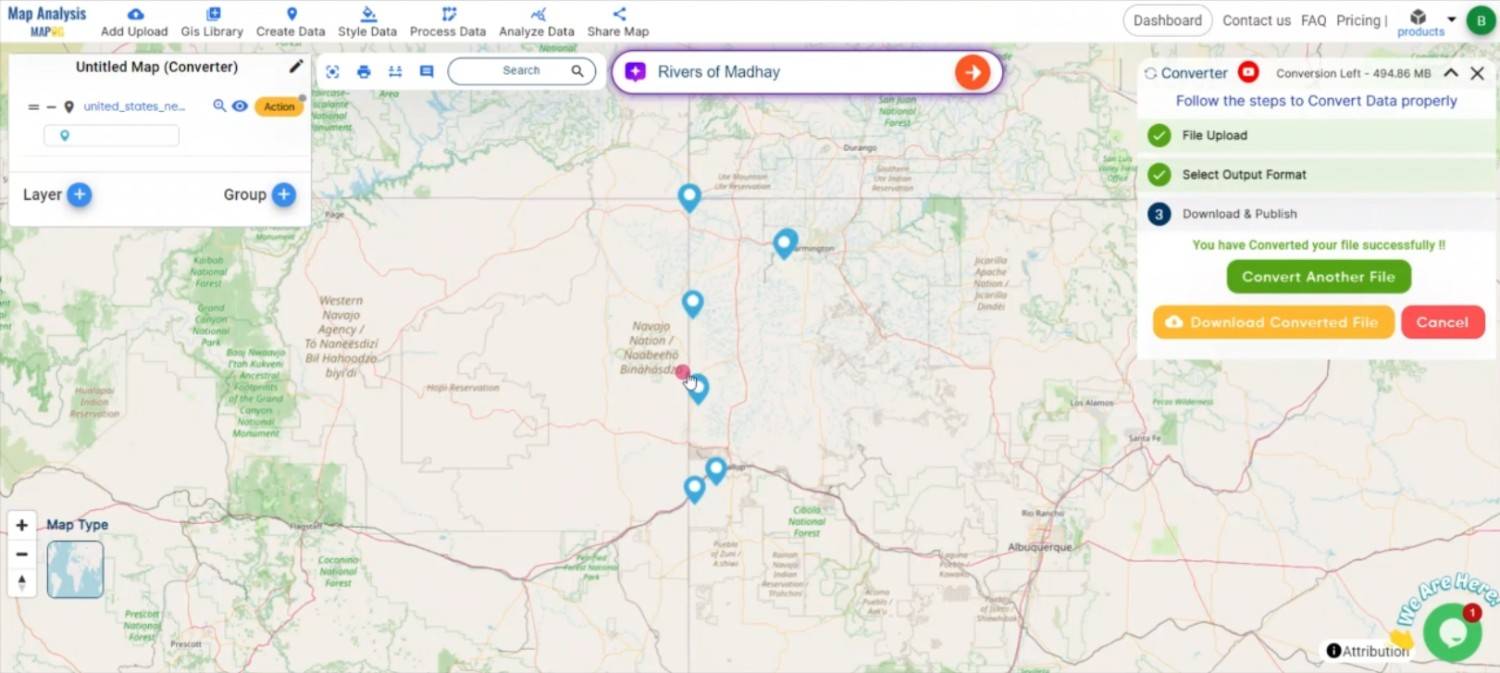
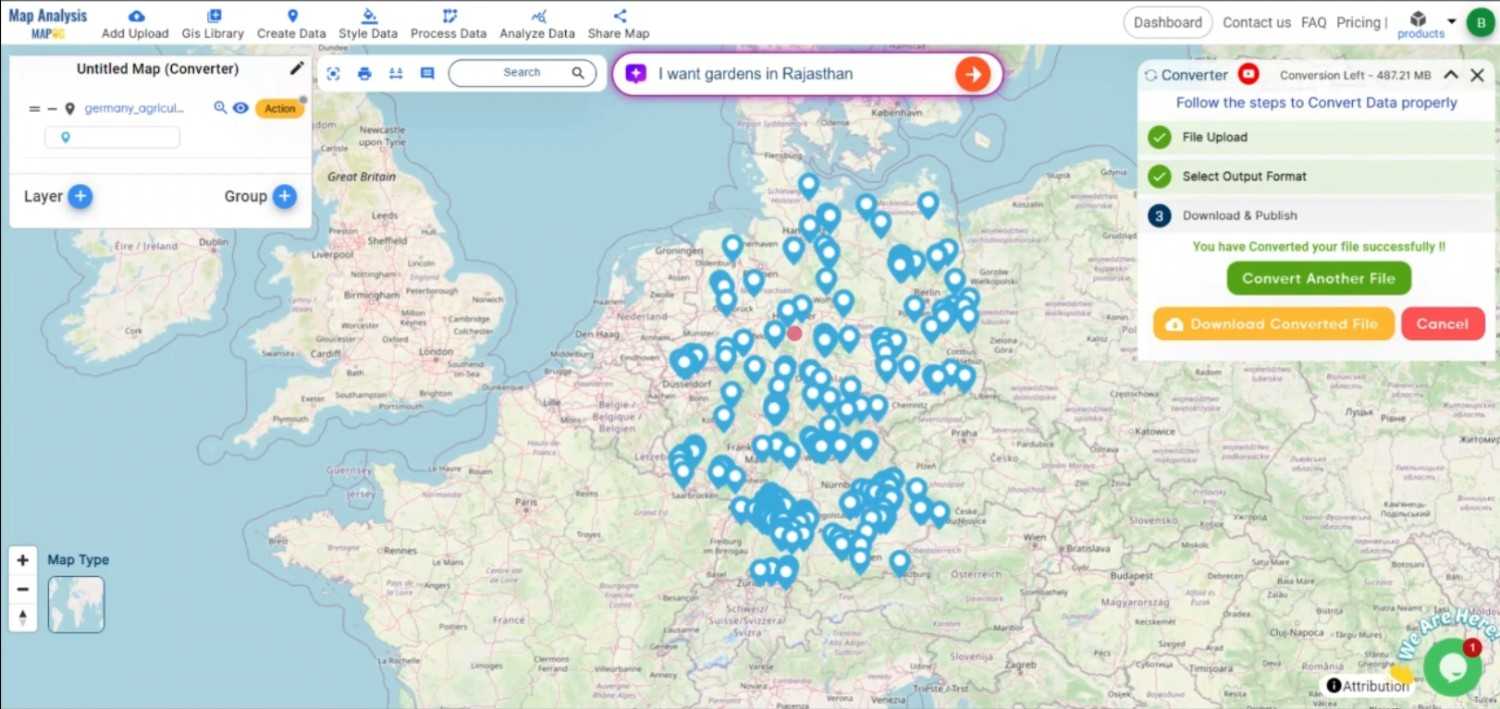
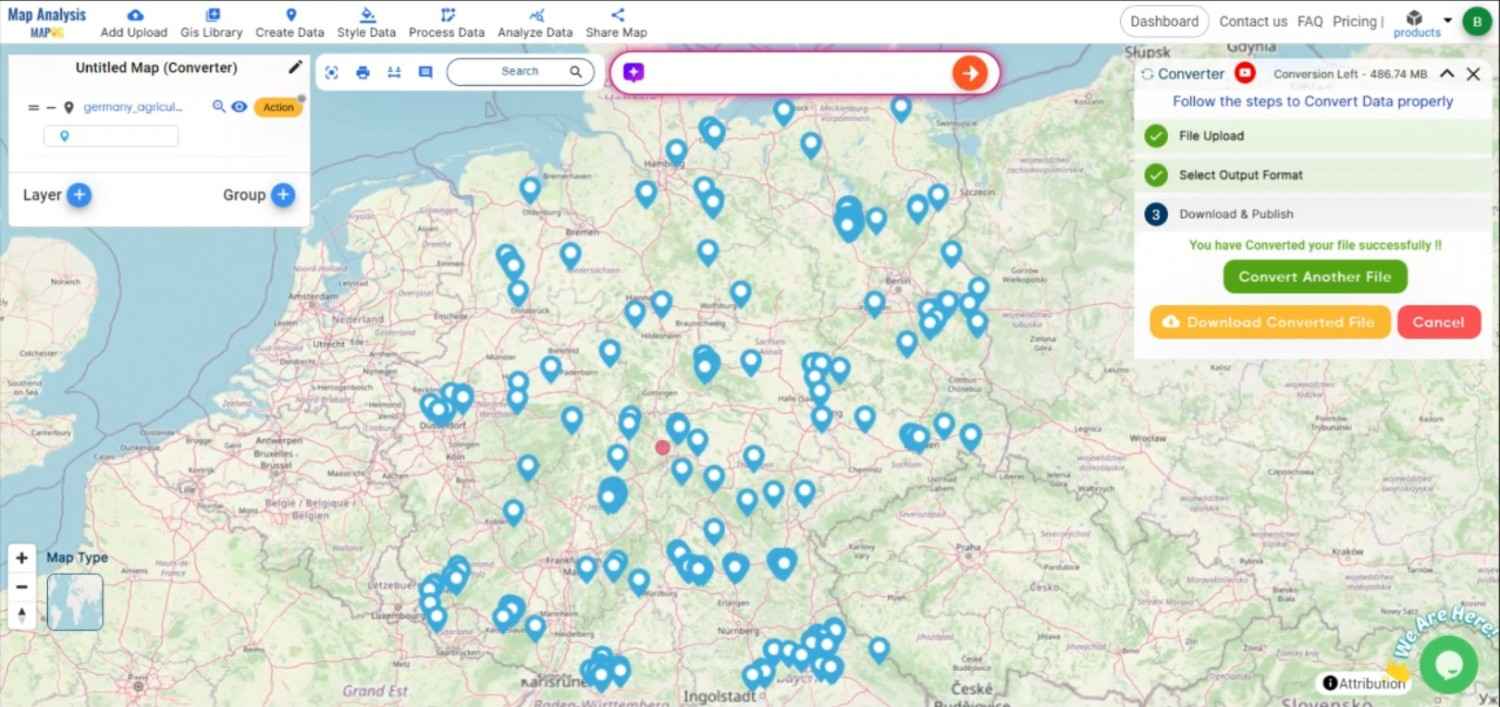
Finally, review your converted MIF data to ensure it looks right. Once satisfied, download the converted file. This step is crucial to verify that the conversion has been successful and the data integrity is maintained.
And there you have it! You’ve successfully used the Converter Tool in MAPOG Map Analysis to convert your KMZ files to MIF. Now you can easily convert your data for all your analysis needs. This feature simplifies the process of handling different data formats, making your workflow more efficient and effective.
Effortlessly convert TopoJSON to GML with MAPOG to streamline your geographic data presentation for enhanced spatial analysis.
Transforming your GIS data by converting TopoJSON to GML online can simplify analysis, sharing, and integration into various GIS applications. Whether you’re a beginner or an experienced user, this tutorial will guide you through the process in easy steps.
Converting TopoJSON to GML with MAPOG
Key Concept of Converting Files
The Converter Tool in MAPOG Map Analysis allows you to change your data from one format to another effortlessly. You input your data in one form, and it transforms it into the required format for your analysis. This versatility enables you to download and use data in various formats, making it adaptable for different applications.
STEPS TO CONVERT TOPOJSON TO GML WITH MAPOG
Step 1: Upload the Data
Access the Converter Tool: Click on the “Process Data” menu and choose the “Converter Tool” option.
Access the Converter Tool
Upload TopoJSON File: This is your starting point where you provide the data that needs conversion.
Upload TopoJSON File
Step 2: Select the Format for Conversion
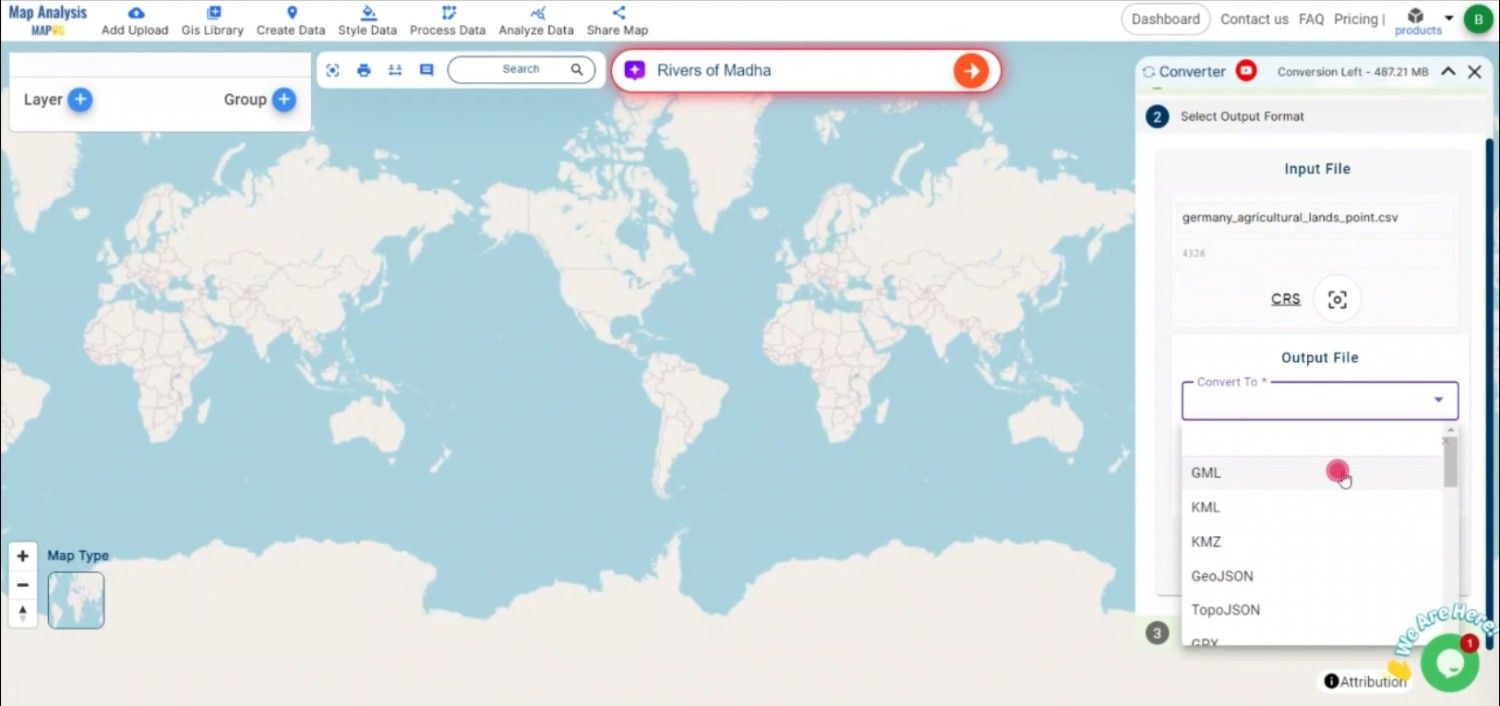
Choose the Output File Format: Select GML as the output file format. The tool offers various formats, but for this guide, we focus on converting to GML.
Choose the Output File Format
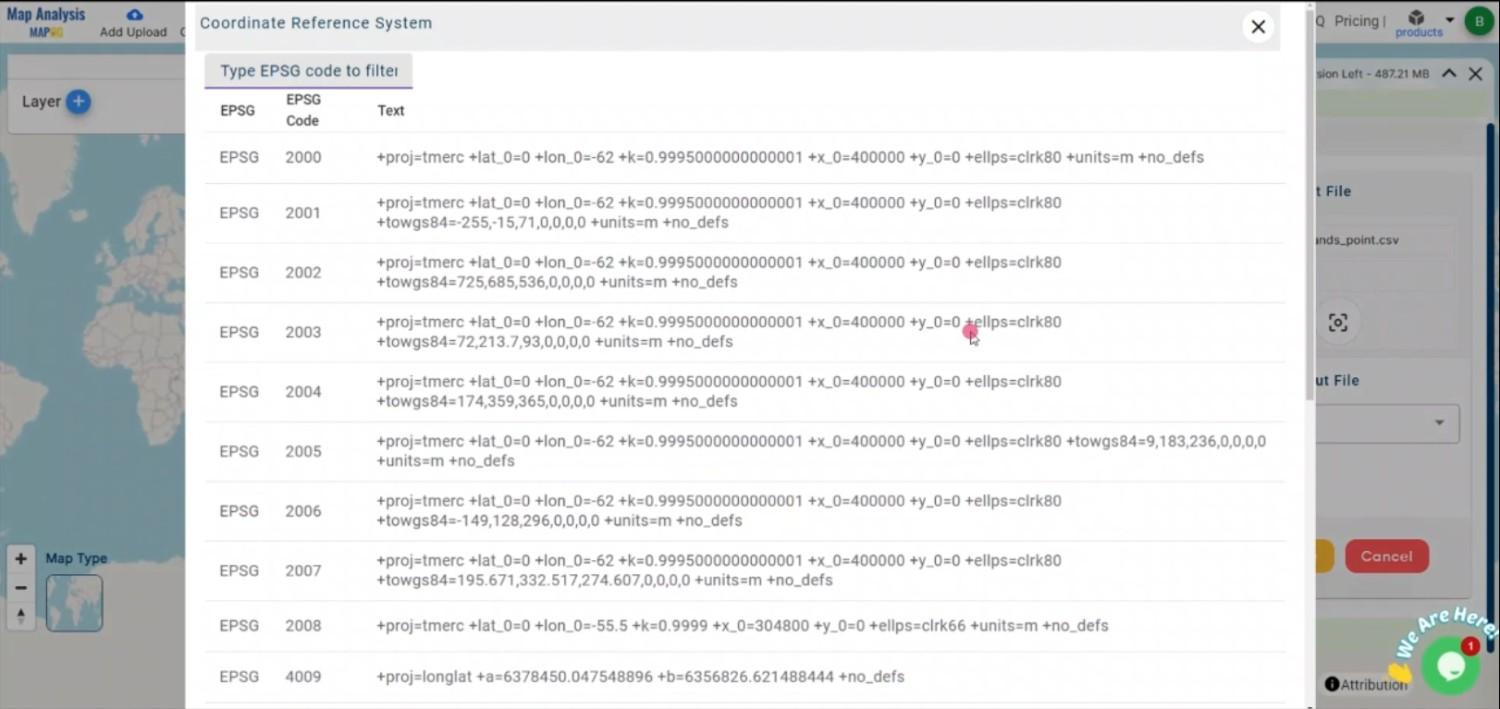
Set the CRS (Coordinate Reference System): You can also set the CRS at this stage to ensure your data aligns correctly with your spatial analysis requirements.
Set the CRS (Coordinate Reference System)
Step 3: Run the Conversion
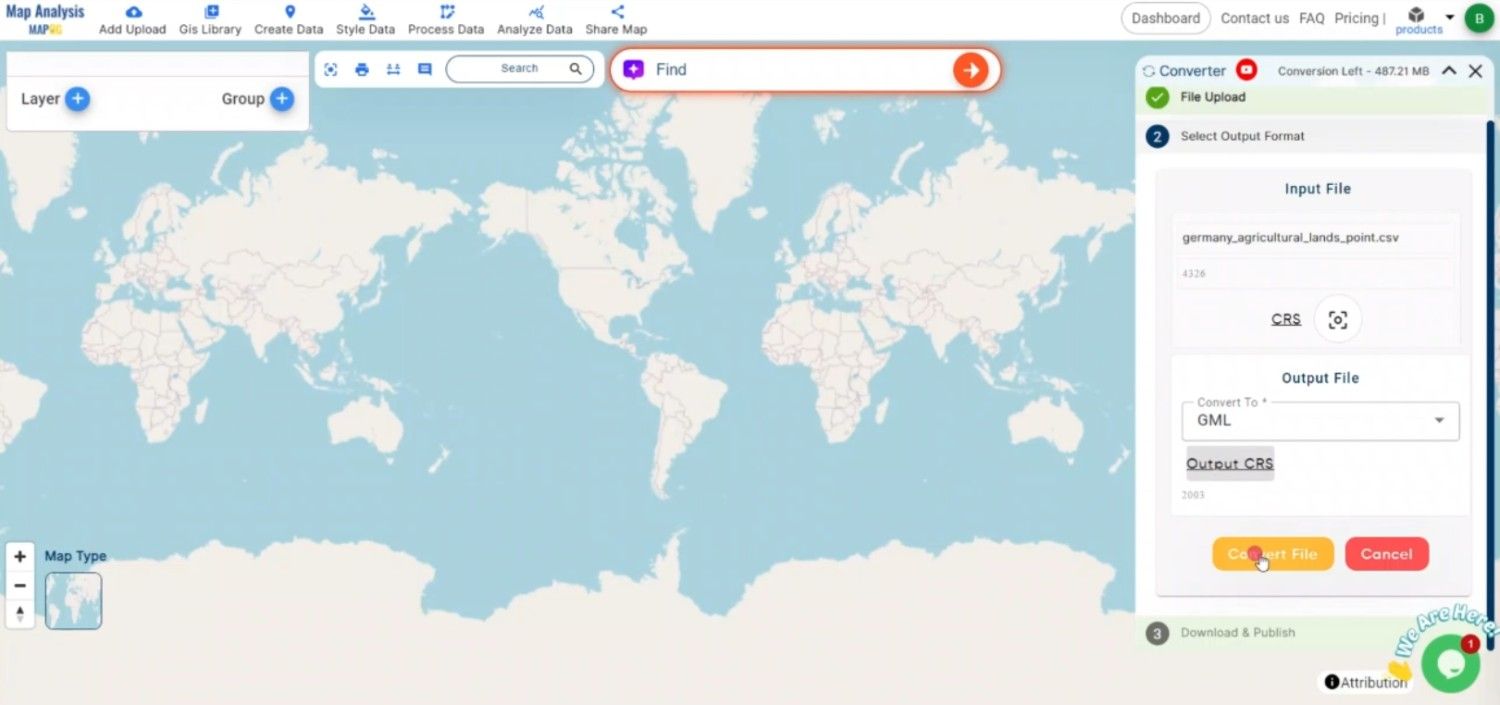
Start the Conversion Process: Click ‘Convert’ and let the tool work its magic. The Converter Tool processes your data, transforming it from TopoJSON to GML format.
Step 4: Review and Download
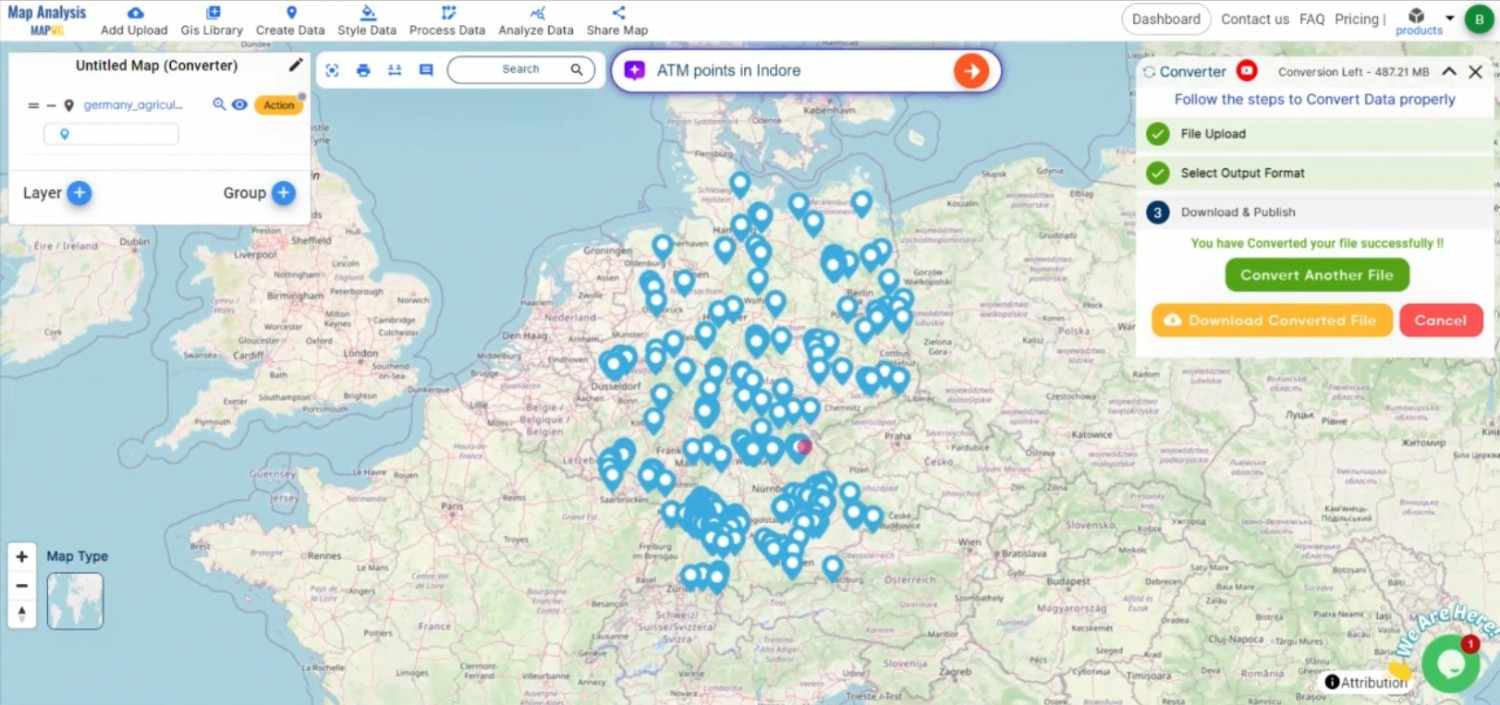
Review the Converted Data: Check your converted GML data to ensure it looks correct. This step is crucial to verify that the conversion has been successful and the data integrity is maintained.
Review the Converted Data
Download the Converted File: Once satisfied, download the converted file.
CONCLUSION
And there you have it! You’ve successfully used the Converter Tool in MAPOG to convert your TopoJSON files to GML. This conversion simplifies the process of handling different data formats and makes your workflow more efficient and effective. For any queries, please contact us at support@mapog.com.
Here are some other blogs you might be interested in:
In this guide, it will provide step by step of how the GeoJSON files can be easily and quickly converted to CSV format with the help of Converter Tool in MAPOG. So, both if you are a first-time user and a regular one, Converting GeoJSON to CSV with MAPOG, the entire process will be explained in simple steps for you.
Key Concept to Converting files
Converter Tool is a tool in the MAPOG Map Analysis used for the purpose of converting the information you have from one type to another. It’s like magic! You input data into it in one form, and you get it output in another form that you could use in your analysis. Moreover, GIS Data has a download in any format that means it is shift able in any kind of uses.
Online GeoJSON to CSV GIS Converter
Step 1: Upload the Data
1. Select the data through the “Process Data” and go to the “Converter Tool”.
2. Upload your GeoJSON file. This is your entry point where you feed in the information that needs conversion.
Step 2: Select the Format for Conversion
Select the output format as CSV or Comma-Separated Values if you want to expatriate only the data. The tool provides several options in arriving at the result but for this guide, we are using the option to convert the file to CSV.
2. You can also set the Output CRS at this stage.
Step 3: Run the Conversion
Go to ‘Convert Files’ and watch the tool at work. Working with the Converter Tool you input your data and then the tool converts it from the GeoJSON format to the CSV format.
Step 4: Review and Download
Take a moment to review your converted CSV data to make sure everything looks correct. Once you’re happy with it, go ahead and download the file. This step is really important to ensure that the conversion worked properly and that all your data is intact.
Step 5: Add Label Feature
1. We can add the Lebel on this map using the Label Feature in the map analysis interface. First, We need to go to the action button of the newly converted layer. Then select the Label feature from the drop down section.
2. Next, we need to provide the newly converted file in layer selection and the desired attribute in the feature name section. Label feature has the option to select the font size and color. When you are happy with it, Click the save button.
3. Now here you can see the newly converted data with all boundaries name mentioned into it.
That’s it! You’ve mastered the Converter Tool in MAPOG Map Analysis to turn your GeoJSON files into CSVs. Now, transforming your data is easier than ever, ready for any analysis you need. This handy feature streamlines dealing with various data formats, making your work smoother and more productive.
Here are some other blogs you might be interested in:
Unlock a world of geospatial insights with MAPOG, your gateway to Download Samoa Administrative Boundary GIS Data. Dive into a treasure trove of datasets covering national, administrative divisions, and more.
Navigating and Download Samoa Administrative Boundary GIS Data is seamless with MAPOG. Access over 150 meticulously curated datasets detailing administrative boundaries and geographic features such as coastlines, roads, and conservation areas. Our platform offers intuitive tools for effortless exploration: Download GIS Data and Add GIS Data. With the Download GIS Data tool, choose from a variety of formats like Shapefile, KML, GeoJSON, or CSV to obtain the precise data you need. Need guidance on using the Add GIS Data tool? Consult our comprehensive guide for step-by-step instructions. Let MAPOG be your trusted companion on an enriching geospatial journey through the breathtaking landscapes of Samoa.
Our platform supports an extensive range of data formats, including KML, SHP, CSV, GeoJSON, Tab, SQL, Tiff, GML, KMZ, GPKZ, SQLITE, Dxf, MIF, TOPOJSON, XLSX, GPX, ODS, MID, and GPS, ensuring seamless compatibility and accessibility across different analyses.
Note:
all data provided by MAPOG are in GCS datum EPSG:4326 WGS84 CRS (Coordinate Reference System).
access to shapefile downloads requires logging in to the platform.
Download Data of Samoa
Samoa, nestled in the heart of the South Pacific Ocean, offers a captivating blend of natural beauty and cultural heritage. Known for its lush landscapes, vibrant culture, and friendly people, Samoa is a paradise for nature lovers and adventurers.
Samoa is divided into distinct administrative areas, each with its own unique characteristics and governance structures. Delve into the administrative boundaries and geographic features of these divisions to gain a deeper understanding of their diversity and importance.
Explore the administrative boundaries, road networks, and key geographic features of Samoa, renowned for its stunning beaches, volcanic mountains, and rich marine life.
Disclaimer : If you find any shapefile data of country provided is incorrect do contact us or comment below, so that we will correct the same in our system as well we will try to correct the same in openstreetmap.
Unlock a world of geospatial insights with MAPOG, your gateway to Download Polynesie Francaise Administrative Boundary GIS Data. Dive into a treasure trove of datasets covering national boundaries, regions, villages, and more.
Navigating French Polynesia’s GIS data is seamless with MAPOG. Access over 150 meticulously curated datasets detailing Download Polynesie Francaise Administrative Boundary GIS Data and geographic features such as rivers, roads, and national parks.
Our platform supports an extensive range of data formats, including KML, SHP, CSV, GeoJSON, Tab, SQL, Tiff, GML, KMZ, GPKZ, SQLITE, Dxf, MIF, TOPOJSON, XLSX, GPX, ODS, MID, and GPS, ensuring seamless compatibility and accessibility across different analyses.
Note:
all data provided by MAPOG are in GCS datum EPSG:4326 WGS84 CRS (Coordinate Reference System).
Additionally, access to shapefile downloads requires logging in to the platform.
Download Data of French Polynesia
French Polynesia, a collection of over 100 islands in the South Pacific, offers a captivating blend of natural beauty and cultural heritage. Known for its crystal-clear lagoons, volcanic mountains, and vibrant marine life, French Polynesia includes renowned islands such as Tahiti, Bora Bora, and Moorea. The region is celebrated for its rich Polynesian culture, stunning landscapes, and unique biodiversity.
Download Polynesie Francaise Administrative Boundary Islands Data
French Polynesia is divided into several islands, each with its own unique cultural, geographical, and historical significance. These islands play a vital role in decentralized governance and regional development efforts. Delve into the administrative boundaries and geographic features of French Polynesia’s islands to gain a deeper understanding of their diversity and importance.
Download Polynesie Francaise Administrative Boundary Villages Shapefile Data
French Polynesia is composed of numerous villages, each encapsulating a unique blend of cultural heritage, geographical features, and administrative significance. These villages serve as fundamental units of local governance and are essential for regional development efforts. Delve into the administrative boundaries and geographic features of French Polynesia’s villages to gain a deeper understanding of their diversity and importance.
Disclaimer : If you find any shapefile data of country provided is incorrect do contact us or comment below, so that we will correct the same in our system as well we will try to correct the same in openstreetmap.
Unlock a world of geospatial insights with MAPOG, your gateway to Saint Helena And Ascension And Tristan Da Cunha Administrative Boundary GIS Data. Dive into a treasure trove of datasets covering national, administrative divisions, and more.
Navigating the Saint Helena And Ascension And Tristan Da Cunha’s Administrative Boundary GIS Data is seamless with MAPOG. Access over 150 meticulously curated datasets detailing administrative boundaries. The geographic features such as coastlines, roads and conservation areas. Our platform offers intuitive tools for effortless exploration: Download GIS Data and Add GIS Data. With the Download GIS Data tool, choose from a variety of formats like Shapefile, KML, GeoJSON, or CSV to obtain the precise data you need. Need guidance on using the Add GIS Data tool? Consult our comprehensive guide for step-by-step instructions. Let MAPOG be your trusted companion on an enriching geospatial journey through the breathtaking landscapes of Saint Helena, Ascension, and Tristan da Cunha’s Data.
Our platform supports an extensive range of data formats, including KML, SHP, CSV, GeoJSON, Tab, SQL, Tiff, GML, KMZ, GPKZ, SQLITE, Dxf, MIF, TOPOJSON, XLSX, GPX, ODS, MID, and GPS, ensuring seamless compatibility and accessibility across different analyses.
Note:
all data provided by MAPOG are in GCS datum EPSG:4326 WGS84 CRS (Coordinate Reference System).
access to shapefile downloads requires logging in to the platform.
Download Data of Saint Helena, Ascension, and Tristan da Cunha’s GIS Data
000Saint Helena, Ascension, and Tristan da Cunha, nestled in the South Atlantic Ocean, offer a captivating blend of natural beauty and historical significance. These remote territories are known for their rugged landscapes, unique flora and fauna, and rich maritime heritage.
Saint Helena, Ascension, and Tristan da Cunha are divided into distinct administrative areas, each with its own unique characteristics and governance structures. Delve into the administrative boundaries and geographic features of these divisions to gain a deeper understanding of their diversity and importance.
Saint Helena Saint Helena And Ascension And Tristan Da Cunha regions Shapefile
Access detailed GIS data of Ascension Island, known for its strategic military installations and diverse wildlife, including significant bird populations
Saint Helena Saint Helena And Ascension And Tristan Da Cunha regions Shapefile
Above all links are provided for GIS data of Saint Helena, Ascension And Tristan Da Cunha if you are looking for any specific data please write us on support@mapog.com
Disclaimer : If you find any shapefile data of country provided is incorrect do contact us or comment below, so that we will correct the same in our system as well we will try to correct the same in openstreetmap.
Access and download Sierra Leone administrative boundary GIS data, including provinces, districts, and chiefdoms.
Delve into the heart of Sierra Leone’s geography with MAPOG! Uncover a wealth of datasets encompassing administrative boundaries, rivers, roads, and airports. Effortlessly download GIS data in formats like Shapefile, KML, GeoJSON, and CSV using our user-friendly tools. Empower your exploration of Sierra Leone’s GIS data with confidence – choose MAPOG!
We offer an extensive array of data formats, including KML, SHP, CSV, GeoJSON, Tab, SQL, Tiff, GML, KMZ, GPKZ, SQLITE, Dxf, MIF, TOPOJSON, XLSX, GPX, ODS, MID, and GPS, ensuring compatibility and accessibility for various applications and analyses.
Note:
All data available are in GCS datum EPSG:4326 WGS84 CRS (Coordinate Reference System).
You need to login for downloading the shapefile.
Download Shapefile Data of Sierra Leone
Sierra Leone is a West African nation on the Atlantic coast. Bordered by Guinea to the north and Liberia to the southeast, it boasts a tropical climate and diverse landscapes, from savannas to rainforests. Freetown, the capital and largest city, governs this country divided into five administrative regions with 16 districts.
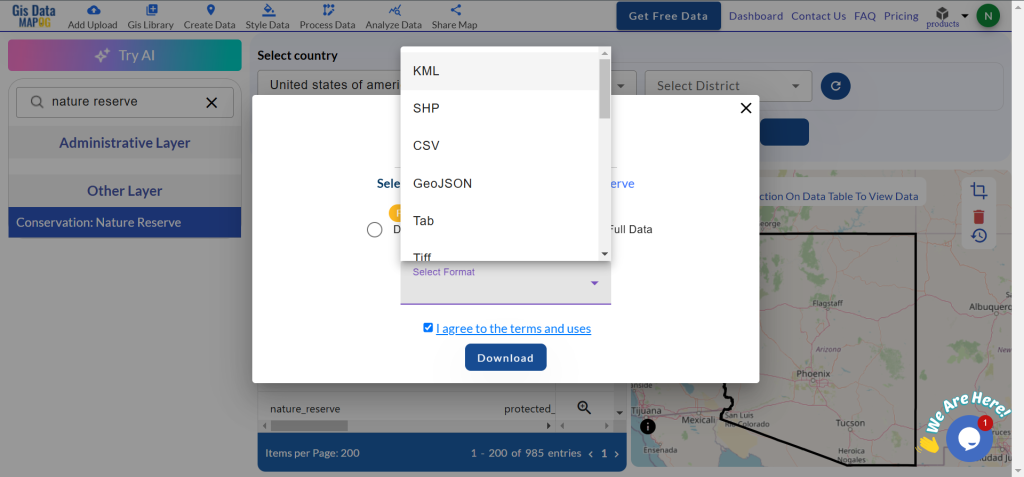
After successfully logging in with a legitimate email address, select the country you want to work with. Next, choose the specific layer you need and click on the download option. Once that’s done, pick the desired format to acquire the essential GIS data. Before proceeding with the data download, make sure to review the data table for any relevant information.
Download Sierra Leone Provinces Shapefile Data
Sierra Leone is administratively divided into four provinces and a Western Area for the capital Freetown.
Disclaimer : If you find any shapefile data of country provided is incorrect do contact us or comment below, so that we will correct the same in our system as well we will try to correct the same in openstreetmap.
Access and download Eswatini (Swaziland) administrative boundary GIS data, including national, regions, and districts, for detailed geographic analysis and mapping.
Eswatini’s diverse landscapes await your exploration with MAPOG! Uncover a treasure trove of GIS data, unlocking the intricate details of administrative districts. Chart your course along the majestic flow of the rivers and their tributaries. Track the vital transportation network that connects the kingdom – the roads, and the essential air gateways – its airports. Download this wealth of Eswatini GIS data with ease in formats like Shapefile, KML, GeoJSON, and CSV using our user-friendly tools. Empower your analysis of Eswatini’s geography – choose MAPOG for all your Eswatini GIS data needs!
We offer an extensive array of data formats, including KML, SHP, CSV, GeoJSON, Tab, SQL, Tiff, GML, KMZ, GPKZ, SQLITE, Dxf, MIF, TOPOJSON, XLSX, GPX, ODS, MID, and GPS, ensuring compatibility and accessibility for various applications and analyses.
Note:
All data available are in GCS datum EPSG:4326 WGS84 CRS (Coordinate Reference System).
You need to login for downloading the shapefile.
Download Shapefile Data of Swaziland
Eswatini, officially the Kingdom of Eswatini and formerly known as Swaziland, is a landlocked country in Southern Africa. It is bordered by Mozambique to the northeast and South Africa to the north, west, south, and southeast. Despite its small size—no more than 200 km (120 mi) from north to south and 130 km (81 mi) from east to west—Eswatini boasts diverse climates and topographies, ranging from a cool and mountainous highveld to a hot and dry lowveld.
After successfully logging in with a legitimate email address, select the country you want to work with. Next, choose the specific layer you need and click on the download option. Once that’s done, pick the desired format to acquire the essential GIS data. Before proceeding with the data download, make sure to review the data table for any relevant information.
Download Swaziland Regions Shapefile Data
Eswatini, formerly known as Swaziland, is divided into four administrative regions:
Disclaimer : If you find any shapefile data of country provided is incorrect do contact us or comment below, so that we will correct the same in our system as well we will try to correct the same in openstreetmap.
Access and download Solomon Islands administrative boundary GIS data, including national, provinces, and constituencies
Unleash the power of GIS mapping in the Solomon Islands with MAPOG! Delve into a comprehensive collection of GIS data, including administrative boundaries encompassing the nation’s many islands and atolls. Effortlessly explore Solomon Islands’ unique geography with MAPOG. Discover a wealth of datasets featuring boundaries, rivers, and even transportation infrastructure like airports. MAPOG’s user-friendly tools empower you to download GIS data in various formats, including Shapefile, KML, GeoJSON, and CSV. Dive into the fascinating world of Solomon Islands GIS data with confidence – choose MAPOG!
All data available are in GCS datum EPSG:4326 WGS84 CRS (Coordinate Reference System).
You need to login for downloading the shapefile.
Download Shapefile Data of Solomon Islands
The Solomon Islands, an island nation in Melanesia (part of Oceania), consists of over 900 islands northeast of Australia. Neighboring countries include Papua New Guinea to the west, Fiji to the east, and Vanuatu to the southeast. With Honiara as its capital on the largest island, Guadalcanal, the country boasts a population of over 734,000 and a total area of roughly 28,896 square kilometers. Interestingly, the Solomon Islands archipelago extends beyond the nation’s borders, also encompassing the Autonomous Region of Bougainville (part of Papua New Guinea) but excluding the Santa Cruz Islands.
After successfully logging in with a legitimate email address, select the country you want to work with. Next, choose the specific layer you need and click on the download option. Once that’s done, pick the desired format to acquire the essential GIS data. Before proceeding with the data download, make sure to review the data table for any relevant information.
Download Solomon Islands Provinces Shapefile Data
Solomon Islands is divided into nine provinces. The national capital, Honiara, on the island of Guadalcanal, is separately governed as the country’s Capital Territory.
Disclaimer : If you find any shapefile data of country provided is incorrect do contact us or comment below, so that we will correct the same in our system as well we will try to correct the same in openstreetmap.
Access North Korea’s GIS data: national, provincial, district boundaries, and more. Download in formats like Shapefile, KML, GeoJSON, CSV via MAPOG.
Unlock a wealth of geospatial insights with MAPOG, your gateway to Download North Korea Administrative Boundary GIS Data. Embark on a journey through the secretive landscapes of North Korea with access to a diverse range of datasets covering national, provincial, district boundaries, and more.
Navigating North Korea’s GIS data is effortless with MAPOG. Explore over 200 meticulously curated datasets detailing administrative boundaries and geographic features such as rivers, roads, and national landmarks. Our platform offers intuitive tools for seamless exploration: Download North Korea Administrative Boundary GIS Data and Add GIS Data. With the Download GIS Data tool, choose from a variety of formats like Shapefile, KML, GeoJSON, or CSV to obtain the precise data you need. Need guidance on using the Add GIS Data tool? Consult our comprehensive guide for step-by-step instructions. Let MAPOG be your trusted companion on an enriching geospatial journey through North Korea’s enigmatic terrain.
Our platform supports an extensive range of data formats, including KML, SHP, CSV, GeoJSON, Tab, SQL, Tiff, GML, KMZ, GPKZ, SQLITE, Dxf, MIF, TOPOJSON, XLSX, GPX, ODS, MID, and GPS, ensuring seamless compatibility and accessibility across different analyses.
Note:
all data provided by MAPOG are in GCS datum EPSG:4326 WGS84 CRS (Coordinate Reference System).
Additionally, access to shapefile downloads requires logging in to the platform.
Download Data of North Korea
North Korea, shrouded in mystery, offers a fascinating blend of rugged landscapes and unique cultural heritage. Bordered by China, Russia, and South Korea, it boasts diverse terrain, from mountainous regions to coastal plains. Explore North Korea’s rich geography, including iconic landmarks such as Mount Paektu, the birthplace of Kim Il-sung in Mangyongdae, and the capital city of Pyongyang.
North Korea is divided into nine provinces, each with its distinct cultural, geographical, and historical significance. These provinces play a crucial role in the country’s governance and regional development efforts. Delve into the administrative boundaries and geographic features of North Korea’s provinces to gain a deeper understanding of their diversity and importance. Here are North Korea’s nine provinces:
North Korea comprises multiple districts, each encapsulating a unique blend of cultural heritage, geographical features, and administrative significance. These districts serve as fundamental units of governance and are essential for regional development efforts. Delve into the administrative boundaries and geographic features of North Korea’s districts to gain a deeper understanding of their diversity and importance.
Disclaimer : If you find any shapefile data of country provided is incorrect do contact us or comment below, so that we will correct the same in our system as well we will try to correct the same in openstreetmap.
Loading Comments...
We use cookies to ensure that we give you the best experience on our website. If you continue to use this site we will assume that you are happy with it.